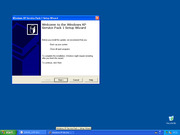
Windows XP Professional x64 Edition Service Pack 2 uses the same installer as Windows Server 2003 x64 SP2: WindowsServer2003.WindowsXP-KB914961-SP2-x64-ENU.exe.
Legacy Update tip: On a bare XP RTM install, Windows Update / Legacy Update often fails until at least SP1 (preferably SP2) is applied. Install the matching service pack for your architecture first, then use Legacy Update, then move to SP3 (x86) if you need it.
Windows XP Professional x64 Edition is not the same codebase as 32-bit XP. It is based on Windows Server 2003 and shipped already at SP1 level. Microsoft did not publish a small “SP1 network EXE” for x64 the way they did for x86.
Legacy Update tip: On a bare XP RTM install, Windows Update / Legacy Update often fails until at least SP1 (preferably SP2) is applied. Install the matching service pack for your architecture first, then use Legacy Update, then move to SP3 (x86) if you need it.
What this is
Full English retail install media for XP Professional x64 with Service Pack 1
Build family 5.2.3790.1830 (Server 2003 SP1-era)
Use this when you need a clean x64 XP SP1 baseline
Windows XP Service Pack 2 (x86) is the big security / firewall / DEP service pack most XP machines need before modern tooling behaves.
Legacy Update tip: On a bare XP RTM install, Windows Update / Legacy Update often fails until at least SP1 (preferably SP2) is applied. Install the matching service pack for your architecture first, then use Legacy Update, then move to SP3 (x86) if you need it.
What to download from the Archive item
File: WindowsXP-KB835935-SP2-ENU.exe (English x86 offline installer, ~279 MB)
Same Archive item also holds SP1 / SP1a / SP3 English EXEs if you need the set
Version notes
Apply on XP RTM or SP1
After SP2, Legacy Update + Windows Update is much more reliable
Then install XP SP3 for the final official service pack
SP2 is also the usual minimum before many HD DVD / codec era tools
Windows XP Service Pack 1 (x86) is the first major XP service pack. The English network installer is xpsp1_en_x86.exe (about 140 MB).
Legacy Update tip: On a bare XP RTM install, Windows Update / Legacy Update often fails until at least SP1 (preferably SP2) is applied. Install the matching service pack for your architecture first, then use Legacy Update, then move to SP3 (x86) if you need it.
What this is
Standalone offline / network installer for 32-bit Windows XP
English ENU package
Released September 2002 – USB 2.0 support, post-RTM fixes, early security rollup
Version notes
Use this on XP RTM before SP2/SP3
Microsoft also shipped SP1a (JVM removed) – SP1 is enough as a Legacy Update stepping stone
One-Core-API (Shorthorn project) backports newer Windows APIs onto NT 5.x so a much wider range of modern software can run on Windows XP SP3, Windows XP x64 SP2, and Server 2003.
Do not combine with unofficial XP SP4
One-Core-API supports official Windows XP SP3 (x86) and XP x64 SP2 / Server 2003.
The project states clearly: Windows XP unofficial SP4 is not supported (Integral-style editions likewise).
If you already installed unofficial SP4, do not expect One-Core-API to work – use SP3 + One-Core-API on a clean/known-good baseline instead.
What it does
Installs like a hotfix / service-pack style package
Lets many post-XP apps (browsers, Steam, newer runtimes) start on XP-class systems
Actively released on GitHub – always grab the latest release ZIP for your arch (x86 / x86-PAE / x86-AVX / x64)
Version notes
Current line: see GitHub Releases (4.x at time of listing)
Recommended base OS: fully updated XP SP3 before installing One-Core-API
Community software – can be unstable on some hardware; snapshot / backup first
HD DVD context
Useful when an HD DVD-era XP box also needs a newer helper app that normally refuses to install on stock XP.
Public outbound link. We do not host this installer. No warranty or support from HD DVD Revived. Use only on systems you own / are licensed to update.
Windows 8 / 8.1 never received a classic numbered service pack like XP or 7. The major offline cumulative package people mean is Windows 8.1 Update (KB2919355 and companion MSUs).
What this is
Standalone .msu update packages for Windows 8.1
x64-focused Archive item for Update 1
Install on Windows 8.1 before later monthly rollups
Version notes
Requires Windows 8.1 (not plain Windows 8 RTM – upgrade to 8.1 first)
KB2919355 is the headline update; related prerequisite MSUs may be in the same Archive item
Use Legacy Update if the store / Windows Update client is broken on EOL 8.1
Public outbound link. We do not host this installer. No warranty or support from HD DVD Revived. Use only on systems you own / are licensed to update.
Windows Vista Service Pack 2 is the last official service pack for Vista. Offline installer package KB948465 covers both 32-bit and 64-bit editions.
What this is
Standalone SP2 installers for Vista x86 and x64
International / multi-language Archive item (pick the language matching your Vista install)
Version notes
SP2 – final Vista service pack
Install on Vista RTM or SP1 before chasing later updates
Pair with Legacy Update if Windows Update is broken after EOL
HD DVD context
Vista-era OEM HD DVD / Blu-ray drive discs (for example LG Super Multi Blue bundles) were written for XP/Vista. SP2 is the sane baseline if you still boot Vista for that hardware.
Public outbound link. We do not host this installer. No warranty or support from HD DVD Revived. Use only on systems you own / are licensed to update.
This is an unofficial community “SP4” / fully-updated XP package. It is not from Microsoft.
If you install unofficial XP SP4, you cannot use One-Core-API. The One-Core-API project explicitly does not support unofficial SP4 (or similar Integral-style editions).
If you want modern API backports for newer apps on XP, stay on official XP SP3 and install One-Core-API instead.
Community SP4 images vary in quality and trustworthiness. Scan, prefer VMs, and do not use them for banking or sensitive accounts.
Unofficial XP “SP4” builds usually mean a slipstreamed XP with every post-SP3 Microsoft update (often including POSReady-era packages) baked into an install ISO. Handy as a time-saver; not a substitute for understanding what you are installing.
When to use this vs SP3 + One-Core-API
Need newer apps / API shims on XP – use official SP3 + One-Core-API (do not install this SP4)
Want a pre-patched XP install image and accept no One-Core-API – this listing
Public outbound link. We do not host this installer. No warranty or support from HD DVD Revived. Use only on systems you own / are licensed to update.
Windows XP Service Pack 3 is the last official Microsoft service pack for Windows XP (x86). The offline installer is KB936929 – run it on an existing XP install to bring the system up to SP3 without Windows Update.