Legacy Update restores Microsoft Windows Update on older Windows versions after Microsoft shut down or broke the original update endpoints for end-of-life systems.
If you still run an XP, Vista, 7, or 8.x machine for HD DVD drives, players, or authoring tools, stock Windows Update often fails with blank pages, SSL errors, or “not supported” messages. Legacy Update puts a working Update client back in place so you can pull the last available patches from Microsoft’s servers.
Supported platforms
Windows 2000
Windows XP
Windows Vista
Windows 7
Windows 8 / 8.1
Windows 10 / 11 already use modern Windows Update; this tool is aimed at the EOL generations where the classic Update UI stopped working.
Why it is on this site
A lot of HD DVD hardware and software only behaves on period Windows installs. Keeping those PCs patched (as far as Microsoft still serves the packages) is part of keeping the format usable safely.
Version notes
Use the current installer from the official Legacy Update site
Open-source community project – not affiliated with Microsoft
After install, open Windows Update as usual and scan for updates
XP prerequisites
Legacy Update restores the update client, but a Windows XP RTM box often cannot complete a useful update scan until a service pack is installed first:
When CyberLink pulled HD DVD support from later PowerDVD 8 builds, the community kept a small set of files that re-enable HD DVD playback on the retail 8.0.1531.50 line (often discussed as the same idea as powerdvd8ultra_hd-dvd.rar).
This is not a full PowerDVD installer. You need a matching PowerDVD 8.0.1531.x install first. Newer PowerDVD versions are reported to crash or hang with these files.
Changelog / scope
Adds / restores HD DVD playback resources for PowerDVD 8.0.1531.x
Includes community notes and a registry dump from a working x64 setup
Results vary by Windows version – some people only got stable playback on older OS installs
Related
We already list the separate PowerDVD 7.3 Windows 10 playback fix under Service Packs & Patches for the 7.x line.
Member download: after login the button opens the file page on the Internet Archive. A copy is not stored on this server. No warranty or support.
As I’ve had a lot of trouble getting my HD-DVD collection to work in Windows 10 I thought I’d write a quick guide to help others and remind myself next time I reinstall or upgrade.
Prerequisites –
PowerDVD 7.3
Windows 10
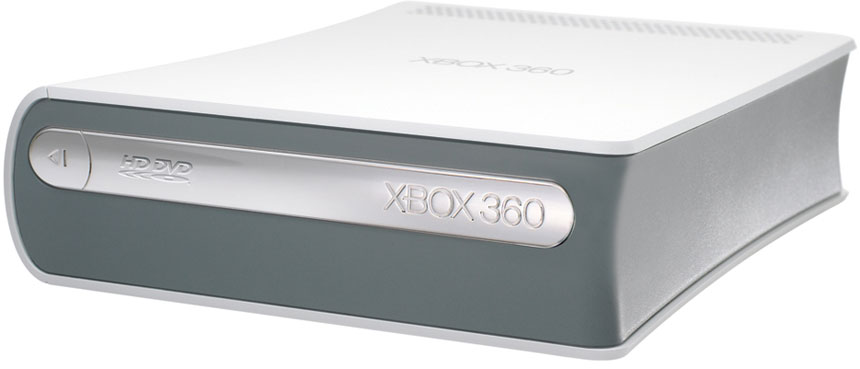
Xbox HD-DVD Drive
This patch CyberLink.5711_TaRe43_DVD090826-05
First off connect your HD-DVD drive to your PC and let windows install the drivers for it.
Next install and activate PowerDVD 7.3, if you now try to play a disc it will say incompatible graphics card, so download the CyberLink.5711_TaRe43_DVD090826-05 patch above, now before running the patch go to C:WindowsInstaller (this is a hidden directory so make sure your windows options let you see hidden and system files), delete the contents of this directory, you may get some warnings just click ok.
Now install the patch, once this has completed run PowerDVD again, it may say critical updates are needed, I clicked to allow them, once PowerDVD responds again play your HD-DVD and it should work.
This patch for windows XP allows your computer to read the filesystem used on HDDVD discs. This will help you playback HDDVD 5 and 9 discs with a standard optical drive in windows XP. And will also allow you to read HDDVD15 and HDDVD30 discs using an actual HDDVD drive.
Members only: browse freely; create a free account or log in to download.