8KDVD Films Blog Reviews
Superman (1941 Animated) on 8KDVD: Fleischer Ink at Impossible Scale

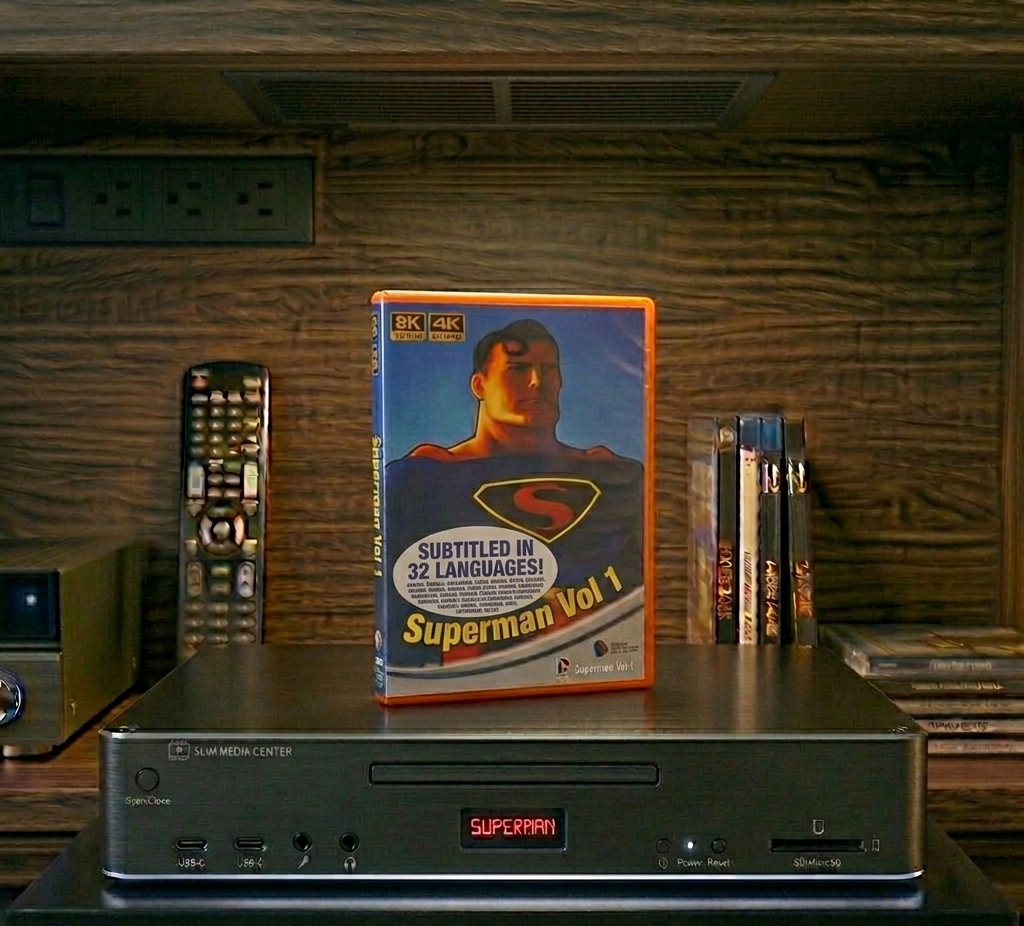
Superman: The Animated Series (1941) - 8K - retail cover
Superman: The Animated Series (1941) – 8K

Own it: Buy the 8KDVD · Stream it: Watch on 8KFlikz · Browse entertainment

The city arrives first – Art Deco towers stacked like a jeweller’s display, searchlights cutting fog that was painted one cel at a time. Then the cape, a red that still looks wet. Max Fleischer’s 1941 Superman shorts were industrial craftsmanship sold as kids’ matinee candy. On 8KDVD they become something closer to architecture you can pause.

Clark Kent, Lois Lane, another mad scientist, another skyscraper in peril: the formula barely changes across the series, and it should not. These are nine-minute machines for awe. Plot beyond that is rude to demand. What you want is the bounce of the animation, the punch of the brass, the way Superman’s flight lines carve the frame.

Ultra-high resolution is a strange friend to hand-drawn ink. Line wobble that vanished into CRT softness now reads as human labour. Paint on the cels shows minute density shifts. Background paintings – those velvet purples and sodium yellows – hold gradients that DVD always posterised. You are looking at the work, not a soft photocopy of the work.

Rotoscoped muscle, cartoon menace

Fleischer’s Superman moved differently from Disney’s fairy-tale bodies: heavier, more physical, rotoscope ghosting under the heroics. At this scale you see the reference photography peeking through without spoiling the illusion. Punches have weight. Landings compress the spine of the drawing for a frame and you feel it.

Optical soundtrack transfers vary by short; the better ones put the orchestra in a real room again. Trumpets cut. Timpani land with a cartoon solemnity that should be funny and somehow is not. Dialogue has that 1940s radio clarity – Lois sharp, Clark mild, the villains already shouting.

Watch a laboratory sequence and count the painted gauges. On lesser transfers they fused into a grey panel; here each dial is a tiny boast of the studio’s draughtsmen. The same goes for those night-flight establishing shots – layers of glass and paint stacked until Metropolis looks expensive enough to justify the cape. Fleischer’s plant was an animation factory, and 8KDVD finally lets you inspect the goods under proper light.

Impossible scale, correct object

There is an argument that animation this old should stay small – that blow-up is a kind of vandalism. I disagree when the transfer is honest. Softness where the elements were soft; sharpness where the ink was sharp. The transfer looks methodical: we used the best tools at our disposal and kept the work honest to the photochemical chain rather than inventing detail the cels never carried.

Case art leans into the theatrical one-sheets without drowning in modern logo soup. Menu chapters per short are the right kind of pedantic. Bitrate stays high through the busier action cels; no crawling mosquito noise across those night skies.

Put the disc away and the afterimage is still that first cityscape – ink, paint, and a hero who has not yet learned to smirk. Physical media rarely gets a cleaner job description.

Play one short before bed if you must. Play three if you want to remember why people once trusted a cartoon to carry wonder without a post-credits tease. The red case clicks shut with a solidity the old 16mm reels never had, and that is not nothing.

Physical disc: Superman: The Animated Series (1941) – 8K. Streaming: 8KFlikz title page.

Also available from us in other formats:

8KDVD Blog Format Overview Guides
The Red Box: Packaging and Presenting an 8KDVD

8KDVD’s retail silhouette is deliberate: a red, DVD-sized case so the format reads as its own object on a shelf full of blue Blu-ray keep cases and black DVD Amarays. Packaging is part of the specification’s public face – logo placement, the project URL, and honest technical callouts matter as much as the VP9 bits inside.

Why the case is DVD-sized and red

DVD footprint keeps mailers, shelves, and existing DVD case stock usable. The red plastic (or red wrap on a clear/standard shell, depending on your supplier) is the quick visual ID. Do not ship 8KDVD in unmarked Blu-ray cases “because the disc is a BD-R”; you will train customers to look for the wrong shape.

Artwork workflow

  1. Download the official Photoshop box template (front, spine, back, QR placeholder, info box) from the project downloads.
  2. Replace key art; keep the mandatory 8KDVD branding and 8kdvd.hddvd-revived.com on the back per the current license.
  3. Fill the info box: runtime, year, cast or crew highlights, audio/subtitle languages, and which resolutions ship (8K / 4K / HD / 3D).
  4. Add a QR to your film page or catalogue entry if you use one; empty QR layers look like unfinished print.
  5. Export print-ready PDF/JPG at the template’s bleed settings; proof on paper before a full case run.

What to print on the back (technical honesty)

  • Encode profile class if it sets expectations (e.g. Standard feature vs HQ Plus short).
  • Playback note: Windows Player and Chromium HTML launcher – no claim of a mass-market set-top deck unless you ship one.
  • Media type: BD-R 25 GB / 50 GB / BD-XL as applicable.
  • Subtitle languages and whether they are soft or burned-in.

Disc face and inserts

Label the disc hub clearly with title and “8KDVD.” A bare silver BD-R in a fancy sleeve confuses archivists five years out. Optional booklets help for chapter lists and restoration notes; keep type large – this is living-room packaging, not a CD jewel booklet.

Licensing and branding checklist

Low-budget, free, crowdfunded, and many CC projects can use the artwork and tools under the project’s published free tier; larger commercial budgets owe the modest percentage fee capped in the white paper. Either way, mandatory naming and logo rules still apply. Do not slap third-party Blu-ray or generic “8K” logos on the wrap unless you hold those separate licenses – the 8KDVD marks are not a substitute for Blu-ray Association marks.

Presentation tips for demos and sales

  • Show the red case first, then the menu’s resolution switch – that sequence explains the format faster than a codec lecture.
  • Have a Standard or HQ Plus sample ISO ready so buyers can mount without waiting on a burn.
  • If the title includes 3D anaglyph, pack glasses or state that none are included.

For mail-order, double-box fragile red shells; a cracked hinge turns a careful encode into a returns ticket. Include a one-sheet with the Windows Player download path and a reminder to use UDF-capable mounts for ISOs. Collectors photograph spines – keep title typography consistent across a series so 8KDVD reads as a line, not one-off DIY.

Templates, license text, and sample boxed editions are documented on 8kdvd.hddvd-revived.com. The red box is not decoration; it is how people find the format when the spine is six metres away.

8KDVD Films Blog Reviews
Star Trek: Of Gods and Men on 8KDVD – Fan Film, Full Resolution

Star Trek: Of Gods and Men - 8KDVD (FREE DOWNLOAD) - retail cover
Star Trek: Of Gods and Men – 8KDVD (FREE DOWNLOAD)

Own it: Get the 8KDVD (free download) · Stream it: Watch on 8KFlikz · Browse entertainment

A corridor bulkhead fills the screen in a way Paramount’s lawyers once worried about – familiar geometry, slightly wrong proportions, love in every rivet. Then a face you half-recognise from syndication reruns walks into frame, older, game, committed. Star Trek: Of Gods and Men (2007) never pretended to be studio canon. It pretended, with fanatical care, to be Star Trek anyway.

Nichelle Nichols, Walter Koenig, Alan Ruck and a small constellation of franchise alumni orbit a story about power, exile, and the franchise’s favourite question: what happens when ideals meet force. Keep the synopsis short; the pleasure is not the twist, it is the fact the thing exists as a finished object rather than a Kickstarter apology.

On 8KDVD the production’s digital origins are impossible to miss – and oddly endearing. Sets that were built for web distribution suddenly have to withstand living-room scrutiny. Some surfaces hold. Some confess they were always set dressing. The disc does not lie for them, which is more respectful than soft focus ever was.

Franchise grammar, volunteer budget

What works, still, is performance energy and the show’s verbal DNA: moral argument dressed as adventure. Close-ups are kind to the veterans and slightly less kind to the CGI, which is fine; you came for the people who showed up unpaid, not for a ILM flex.

Sound design chases the classic Trek pulse – doors, consoles, that particular whoosh – with variable success. On a wide mix the score has room to be earnest without drowning dialogue. A few effects stages show their seams; treat them as production diary entries rather than defects.

Nichols and Koenig carry scenes with the unshowy authority of people who invented the grammar everyone else is quoting. Ruck’s presence adds a bridge between classic and later-era cadences without turning the piece into a reunion clip show. When the moral argument arrives – and it always does in Trek – the 8KDVD image is stable enough that you watch faces, not artefacts. That alone justifies the transfer for anyone who first saw this on a compressed web encode.

Fan film as physical media

Putting a fan production on 8KDVD is either a victory lap or a provocation depending on your temperament. I vote victory lap. The red case turns a download-era curiosity into something you can shelf next to licensed catalogue titles, which is exactly the sort of cheek this corner of fandom earned.

Menus are functional. Bitrate is generous through dialogue scenes; space exteriors show the expected digital artefacting when the original assets run out of resolution, and the encode wisely declines to invent detail that was never there.

Is it “real” Star Trek? Wrong question. It is a completed labour of affection, preserved at a scale that makes the affection visible in every costume seam. Eject, smile, argue about continuity with someone who still cares. That was always the point.

One more note for the pedants: yes, you can see the joins. Yes, some matte lines would make a studio QC bay flinch. Keep them. They are the fingerprints of a volunteer shipyard, and the red box is their dry dock.

Physical disc: Star Trek: Of Gods and Men – 8KDVD (FREE DOWNLOAD). Streaming: 8KFlikz title page.

8KDVD Films Blog Reviews
A Town Solves a Problem on 8KDVD: Small Story, Huge Frame

A Town Solves a Problem - 8KDVD Edition - retail cover
A Town Solves a Problem – 8KDVD Edition

Own it: Buy the 8KDVD · Stream it: Watch on 8KFlikz · Browse entertainment

A meeting-hall fluorescent tube buzzes into the opening shot like an unpaid extra. Plastic chairs, a folding table, someone already mid-sentence about a problem that will not stay local. A Town Solves a Problem begins in that register – civic, slightly comic, determined not to be epic – and the 8KDVD presentation has the good manners not to turn it into one.

The premise is deliberately modest: a community faces a practical mess, argues, improvises, and somehow arrives at a fix that feels earned rather than scripted from a binder. Characters talk over each other the way people do when the microphone is optional. That is nearly the whole synopsis, and it should stay that way.

What the ultra-wide encode reveals is texture that smaller releases flattened – the scuff marks on the hall floor, handwritten notes on a clipboard, weather on coats when the action spills outside. These are not “details for detail’s sake.” They are how the film insists it is happening somewhere specific.

Comedy of procedure

Much of the humour sits in process: agendas, side conversations, the person who brought the wrong tool and will not admit it. On a high-resolution disc you catch reaction shots that used to live in the soft edge of the frame – a raised eyebrow, a suppressed smile, the quiet vote happening in someone’s shoulders.

Audio is conversational and proud of it. Dialogue sits forward; room tone is honest. Through decent speakers you hear the difference between the hall’s hard surfaces and the outdoors without anyone having sweetened the mix into demo-disc territory. When someone finally laughs properly, it lands like relief, not a sitcom cue.

There is a temptation, with any civic comedy, to oversell “heart.” This film mostly declines. People are useful, irritating, intermittently kind. The camera stays at human height more often than not, which on a giant encode stops looking like a limitation and starts looking like a philosophy. You are in the room. The disc is not trying to levitate you above it.

Huge frame, small stakes – on purpose

Specialist formats often imply that bigger equals more important. This title argues the opposite. 8KDVD’s bitrate simply refuses to apologise for ordinary light. Daylight through the hall windows stays uneven. Night scenes keep their cheap practical lamps. Nobody has HDR-blasted the town into a tourism advert.

The case design is understated, almost stubbornly so, which fits. Playback is uneventful in the best sense: stable, clean, no encode hiccups during the talkier passages where compression usually chews faces.

I finished it wanting exactly nothing more from the plot and slightly more coffee. That is a compliment. Small stories look strange in red plastic until you remember that physical media was always supposed to host whatever you cared enough to keep – including a town that, for once, actually solves something.

Shelf it beside the louder catalogue titles and leave a gap. The gap is the joke: not every spinning disc owes you an explosion. Some only owe you a meeting that ends on time.

Physical disc: A Town Solves a Problem – 8KDVD Edition. Streaming: 8KFlikz title page.

8KDVD Films Blog Reviews
A Star Is Born on 8KDVD: Old Hollywood Glare in Ultra HD

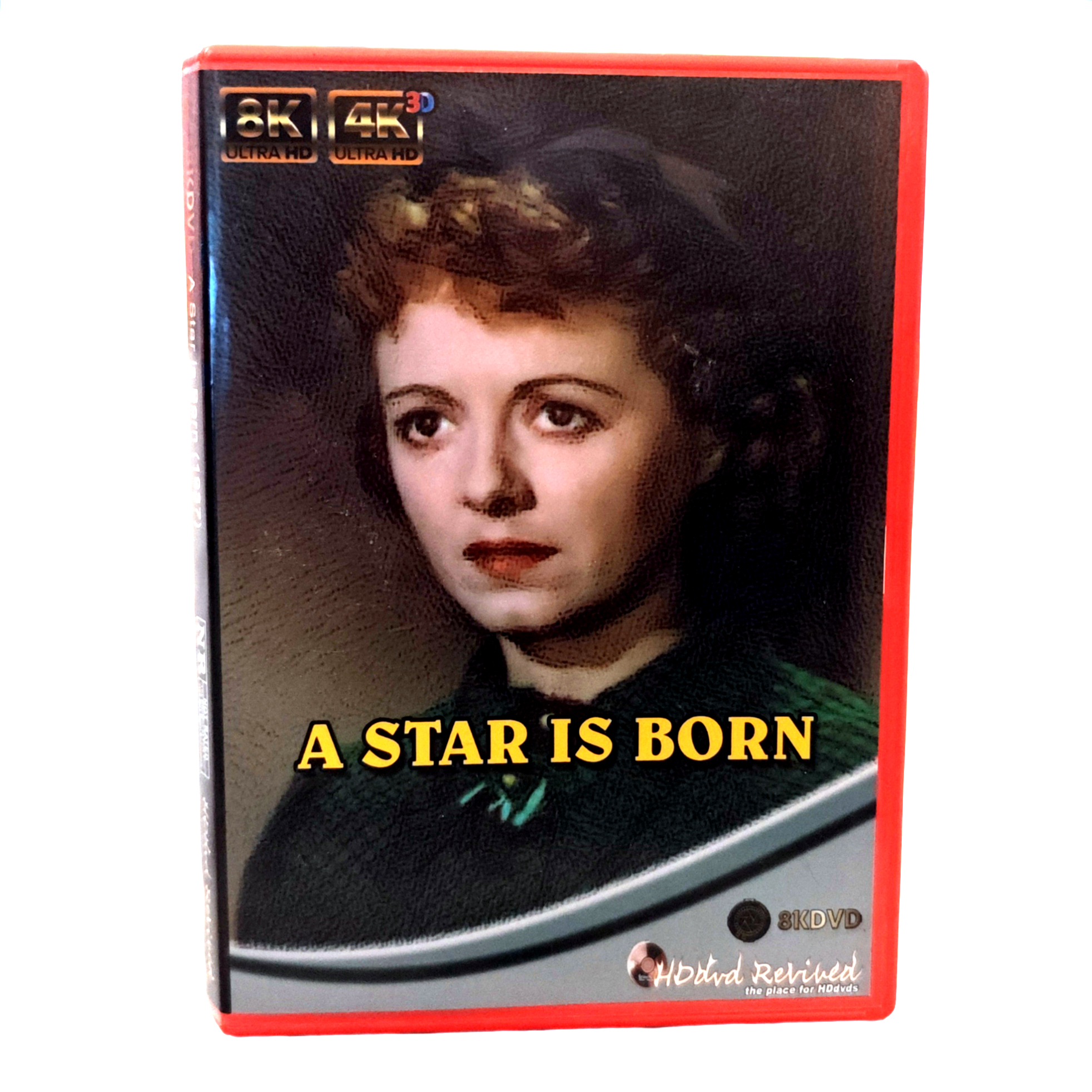
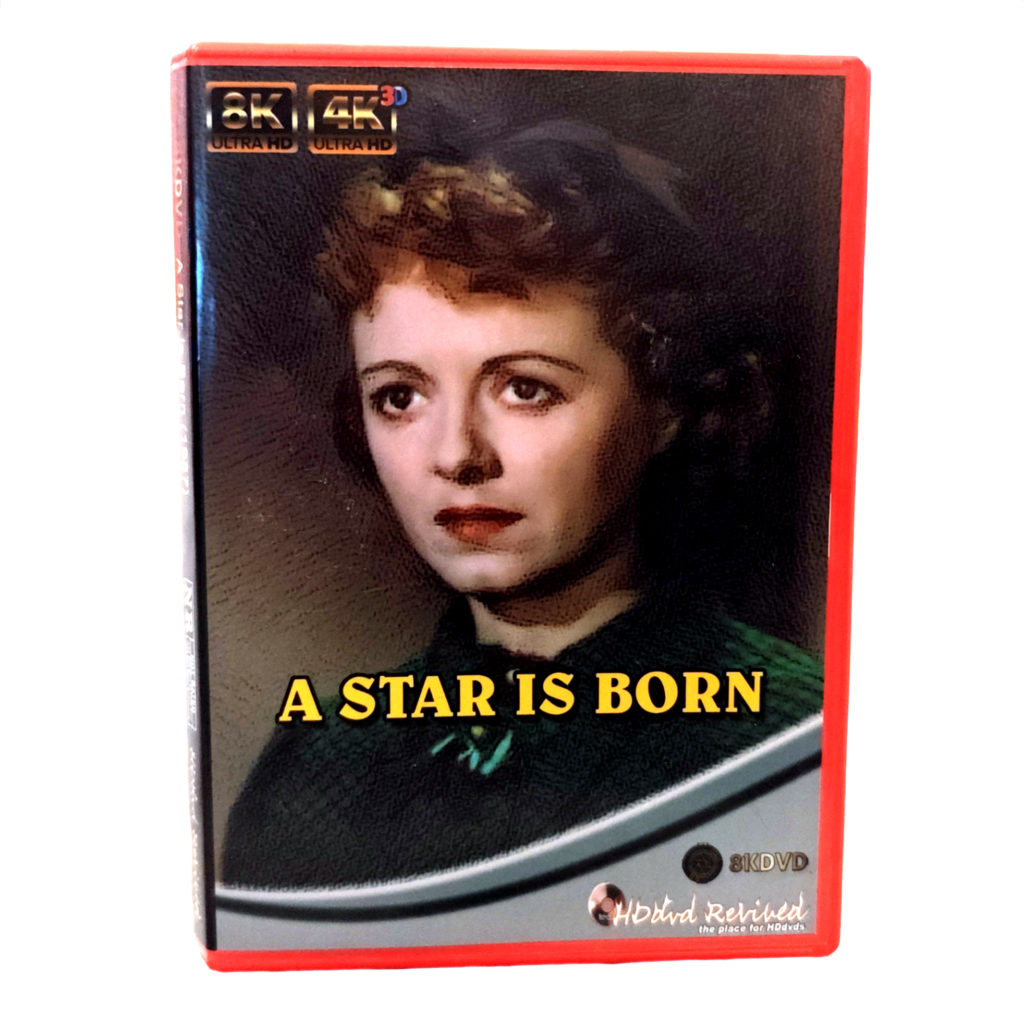
A Star Is Born - 8KDVD Edition - retail cover
A Star Is Born – 8KDVD Edition

Own it: Buy the 8KDVD · Stream it: Watch on 8KFlikz · Browse entertainment

Judy’s eye-line hits the stage lights and the whole frame blooms – not a modern HDR party trick, just 1954 Technicolor doing what Technicolor does when you stop apologising for it. Sequins throw sparks. The orchestra pit becomes a trench of brass and shadow. A Star Is Born (the Cukor remake, Garland and James Mason) was always about glare: career glare, marital glare, the white heat of being watched.

Esther becomes Vicki. Norman Maine drinks, mentors, collapses. Hollywood eats one of them politely and the other with applause. You know the shape; three sentences is all the plot deserves here. What matters on disc is whether the musical numbers still feel dangerous rather than archival.

On 8KDVD they do. Fabric resolution in the “Born in a Trunk” sequence is almost indecent – you can count the stitches on costumes that were designed to read from a balcony, not a sofa two metres from an OLED. Skin tones hold warmth without tipping into peach syrup. Mason’s ruined charm survives extreme close-up; Garland’s performance has nowhere to hide and does not need to.

Soundstage as cathedral

The musical numbers benefit most from the format’s bandwidth. String sections separate. Chorus stacks stop being a single pink smear. When the film drops into quieter domestic scenes, the mix pulls back properly – you hear floorboards, ice in a glass, the awful quiet of a marriage running out of script.

There is a known history of cuts and restorations around this title; whatever master fed this encode, it looks supervised rather than automated. Grain structure stays filmic. No wax-face denoising. Nightclub reds are deep without clipping into a single digital plate.

Pay attention to how Cukor frames applause. Crowds are not a blur of extras; individual heads catch light, which makes the later silences louder. Mason’s Norman Maine is a study in charm eroding under magnification – the smile holds a fraction too long, the eyes go elsewhere. Garland meets the camera as if it owed her money and affection in equal measure. Ultra HD does not “improve” that; it simply stops getting in the way.

Glamour, boxed

The 8KDVD package sells old Hollywood without camp overload – a relief. Menu is ceremonial but short. Bitrate holds through the big production numbers; no macroblocking on the soft-focus close-ups that Cukor loved and modern codecs hate.

Watching it this large re-stages the film’s central cruelty: fame as a lighting problem. Esther steps into brilliance; Norman steps out of it. You can see both transitions in the catchlights now. That is not nostalgia. That is optics.

Physical media people will fuss about which cut this is and whether a missing number should haunt the chapter menu. Fair game for the sleevenotes. For the living room, what counts is that the big songs still feel like risks taken in front of an audience that might not clap. The disc’s bitrate keeps up with the choreography; the soft edges stay soft on purpose.

If you only know the later remakes, this one still has the sharper teeth. The red case feels almost too cheerful for the ending. Eject carefully. Then maybe put something quieter on, or do not – Hollywood rarely offered aftercare.

Physical disc: A Star Is Born – 8KDVD Edition. Streaming: 8KFlikz title page.

Also available from us in other formats:

8KDVD Authoring Blog Guides
8KDVD Encode Profiles: HQ Plus, HQ, Standard and LP

Video File Maker exposes four named encode profiles – HQ Plus, HQ, Standard, and LP – so authors can match VP9 Profile 2 bitstreams (with Opus audio) to disc capacity and runtime instead of guessing CRF values in a vacuum. Pick the profile before you spend overnight GPU time; the menu and the blank must agree with that choice.

Shared rules

  • Output family: VP9 Profile 2; audio Opus as required by the format body of standards.
  • Batches: separate SDR and HDR10 scripts – HDR preserves metadata when the source carries it; SDR batches will not invent a grade.
  • Source: export SOURCE.mp4 at full 8K (7680×4320) when the project truly is 8K; lesser masters should not wear an 8K badge on the box.
  • Media: plan against 25 GB and 50 GB BD-R, or BD-XL when you need more than a single-layer/dual-layer pair can hold.

HQ Plus

Short premium 8K. Use it for demos, shorts, and showpiece reels where bitrate beats runtime. Sister-site guidance cites roughly seventy minutes near the ~22 GB class for the 8K tier as a planning ballpark – treat that as capacity intuition, then measure your own encode. If your “feature” is two hours, HQ Plus is the wrong button.

HQ

High-bitrate mastering for 8K/4K when you want headroom without the ultra-short constraint of HQ Plus. Suitable for prestige shorts-to-mid features and for keeping 4K fallbacks looking expensive. Expect to lean on 50 GB or BD-XL blanks once runtime climbs.

Standard

The workhorse: about a 100-minute movie on 50 GB-class media. First commercial-style titles and most fan restorations should start here. Standard is also the profile you use to teach the rest of the toolchain – if Standard will not burn and play cleanly, chasing HQ Plus will only hide the same folder or UDF mistakes under prettier pixels.

LP (Long Play)

Pack longer programmes onto 25 GB blanks (or stretch capacity when you refuse a second disc). Detail and high-motion scenes take the hit first. LP is honest engineering for lectures, long concerts, or archive dumps – label the case so nobody expects HQ Plus sharpness.

Choosing quickly

  1. Measure runtime and whether you need true 8K on-disc.
  2. If ~100 minutes and one 50 GB blank → Standard.
  3. If short and showpiece 8K → HQ Plus.
  4. If long and stuck on 25 GB → LP.
  5. If mid-length with quality priority and larger blanks → HQ.

Batch discipline

Run the profile batch that matches the blank you bought. Confirm file sizes before Menu Maker; oversized HQ Plus outputs will not “fit if we omit the menu.” Multi-resolution discs often keep a hero tier at one profile and lighter 4K/HD companions – the menu must list only what exists. After encode, verify VP9 Profile 2 / Opus with your usual media inspector, then assemble UDF 2.60.

After the burn, spot-check a high-motion scene and a dark static scene at the hero resolution. Profile names will not save a bad master – soft focus stays soft – but they will stop you from promising eighty minutes of HQ Plus on a single 25 GB blank. Log the profile on an internal README next to the ISO so remasters six months later use the same contract.

Profile tables, Video File Maker releases, and the authoring guide live on 8kdvd.hddvd-revived.com. Profiles are capacity tools; use them that way and the red box will match the bits inside.

8KDVD Blog Guides Subtitles
Adding Subtitles to an 8KDVD Title

Subtitles on 8KDVD sit in an awkward but workable middle ground: the disc UI is browser-based HTML, the video is VP9 Profile 2 with Opus, and there is no Blu-ray-style presentation graphics engine guaranteeing every deck will render the same soft-sub track. Plan for Chromium and the Windows Player, time your cues carefully, and decide early whether you need switchable soft subs or burned-in text that cannot miss.

Soft subs vs burn-in

  • Soft (SRT / WebVTT alongside the menu or player): switchable languages, no re-encode when you fix a typo, better for accessibility and multi-region discs. Depends on the player/launcher honouring the track or the HTML <track> / player API path you wire up.
  • Burn-in (hardcoded into the VP9 encode): universal – whatever opens the video shows the text – but locks language, burns bitrate on glyphs, and forces a full re-encode for corrections.

Prefer soft for dialogue; reserve burn-in for forced narrative cards you refuse to lose, or for archive titles where one language must always appear.

Timing SRT and WebVTT for browser menus

  1. Export a dialogue list from your NLE or subtitle editor with the same frame rate as the master (23.976 vs 24 vs 25 mismatches are the classic “everything drifts after reel two” bug).
  2. Author in SRT first for ease; convert to WebVTT when the HTML5 video element or launcher expects .vtt.
  3. Keep timestamps in HH:MM:SS.mmm (WebVTT) or HH:MM:SS,mmm (SRT) consistently – mixed separators break parsers silently.
  4. Cue length: aim for readable chunks (roughly one to two lines, ≤42 characters per line for living-room distance).
  5. Place cue files where Menu Maker / the launcher expects them; reference them from the menu or player config – orphan .srt files will not invent a track list.
  6. Smoke-test in Chromium: enable the track, scrub mid-film and credits. Use UTF-8; mixed encodings often fail after the first reel.

Sync tips that actually matter

  • Spot-check against a clap or a known line, not against “feels right.”
  • If the whole track is late/early by a constant, shift globally; if drift grows, your frame-rate assumption is wrong – fix the root, do not nudge every tenth cue by hand.
  • If the menu offers both 8K and 4K streams with different leaders, one subtitle file will drift on the other. Pad cues per stream or keep leaders identical.
  • HDR grades can make white text disappear on bright skies; use outlined or shadowed styles when the player allows CSS/WebVTT styling.

Wiring soft subs into the disc UI

Soft subs usually arrive as SRT converted to WebVTT, referenced from the menu page or a small config the Windows Player understands.

  • One file per language, named clearly (en.vtt, de.vtt), UTF-8 without a BOM if a browser chokes on the first cue.
  • A visible menu control: On / Off and language – do not rely on users knowing a keyboard shortcut.
  • Relative paths only – absolute C: leftovers are how living-room demos die. Watch case sensitivity when you author on Windows and test on Linux.
  • If the HTML path refuses local tracks (browser file:// security), fall back to the Windows Player path for that title or burn-in the primary language and keep soft files as a PC-only extra in a documented SUBS folder.

Accessibility without overclaiming

Browser-based disc UI means screen-reader behaviour and forced-narrative support will never match a certified Blu-ray player. Do the basics: high-contrast cues, sane reading speed, separate SDH when you can, and a menu label that says which language is active. Document on the package that subtitles are provided via the HTML/Windows playback path so buyers with exotic HTPC stacks know to test.

Legacy 8KDVD Maker accepted language codes plus SRT during its wizard; the modern Video File Maker + Menu Maker path expects you to integrate cues deliberately. When in doubt, follow the current authoring guide on 8kdvd.hddvd-revived.com, verify on both Windows Player and Chromium, and treat “works in VLC opened on the raw WebM” as a bonus – not the shipping definition of an 8KDVD subtitle.

8KDVD Films Blog Reviews
A Bucket of Blood on 8KDVD: Beatnik Blood and Vinyl Nightmares

A Bucket of Blood - 8KDVD Edition - retail cover
A Bucket of Blood – 8KDVD Edition

Own it: Buy the 8KDVD · Stream it: Watch on 8KFlikz · Browse entertainment

Dick Miller’s Walter Paisley freezes mid-gesture in a coffee-house crowd, clay under his nails, eyes already calculating the next “sculpture.” The jazz combo behind him keeps noodling as if nothing uncanny has entered the room. That is Roger Corman’s A Bucket of Blood (1959) in one frame: hipster satire with a body count, shot before anyone invented the term “meta.”

Walter wants to be an artist. He becomes a murderer who covers corpses in clay and calls it modernism. The beatniks applaud. The cops eventually do not. Corman allegedly knocked the whole thing out in five days; you can feel the calendar in the sets, and that is half the charm.

8KDVD’s gift to a film like this is cruel honesty. Grain is present and correct – not scrubbed into plastic, not exaggerated into “vintage filter.” Faces under the coffee-house lamps show every smear of makeup and sweat. The clay figures, once blurry blobs on tired 16mm transfers, now look like what they always were: cheap, funny, and slightly sick-making.

Beat poetry, murder, repeat

Dialogue still crackles with that late-fifties parody of cool – cats, man, squares, the whole glossary. On a wide track you catch more of the room tone between lines, which somehow makes the jokes land harder. Miller plays Walter as both clown and predator; ultra-clear close-ups favour the predator without killing the clown.

Black-and-white contrast on this encode is properly mid-century: deep blacks in the studio corners, bright whites on Walter’s apron that bloom just enough to remind you this was not shot on an Alexa. Night exteriors keep their murk. No one has “rescued” the shadows into grey porridge.

Corman’s camera rarely lingers, but when it does – Walter alone with a fresh lump of clay – Miller does the quiet work that later cult careers get built on. You see him decide. At this resolution the decision is in the eyes, not the score. The coffee-house patrons remain a gallery of types, and that is fine; satire thrives on types. The disc simply refuses to smear them into one beret-coloured mass.

The vinyl nightmare, literalised

There is a particular pleasure in hearing the film’s diegetic jazz with real bit depth. Cymbals no longer smear into white noise. When the crowd snaps its fingers in that fake-hip unison, you hear individual hands, which is both funny and faintly horrifying – a Greek chorus in turtlenecks.

The 8KDVD case art leans into pulp, correctly. Menus do not overstay. Playback is clean through the montage cuts; Corman’s editing still feels like someone racing a stopwatch, and the disc keeps up without stutter.

British specialist counters used to hand-sell this beside Little Shop as proof that AIP could do nasty jokes with style. The red box continues that tradition without the laminated photocopied sleeve notes. You get the film, the grit, and enough bitrate that the clay never turns into MPEG porridge mid-reveal.

Is this essential Corman? For Miller completists and anyone who likes their horror with a sneer, yes. For everyone else it is sixty-odd minutes of American satire that understood Instagram culture sixty years early: make something shocking, call it art, watch the room clap. The red box just makes the clay glisten.

Physical disc: A Bucket of Blood – 8KDVD Edition. Streaming: 8KFlikz title page.

Also available from us in other formats:

8KDVD Blog Guides Menus
8KDVD Menu Maker: Building Disc Menus That Switch Resolutions

8KDVD menus are HTML and JavaScript living on the disc, not a proprietary Blu-ray HDMV project. Menu Maker exists for authors who want control: background art, chapter entries, and – critically – buttons that switch between 8K, 4K, HD, and optional 3D bitstreams without leaving the launcher. Get the links wrong and users will swear the format is broken when you simply advertised a file you never encoded.

What Menu Maker produces

The tool builds the navigation layer consumed by the Universal Web Launcher and the Windows Player. Output is a menu folder: HTML entry points, assets, and wiring to your Video File Maker tiers. Smoke-test that folder in Chromium on the hard drive. If the menu fails locally, burning will not fix it.

Build workflow

  1. Clone or download 8KDVD-Menu-Maker from GitHub.
  2. Point it at the encoded video tiers from Video File Maker (HQ Plus / HQ / Standard / LP outputs as applicable).
  3. Set background art – stills around 3500 px wide or wider keep large displays from looking soft.
  4. Enter title text and button labels your audience will understand (“Play 4K”, not internal filenames).
  5. Enable only the resolution variants you actually produced. No 8K button without an 8K file.
  6. Add chapter names that match real access points in the encode when the menu supports them.
  7. Export the menu folder into the disc structure beside the media files.
  8. Open the menu HTML in Chromium; click every button once.
  9. Wrap with ImgBurn as UDF 2.60 or drop the folder into your ISO build.

Resolution switching without surprises

Multi-resolution discs are the format’s everyday flexibility: one red case, several decode targets. The menu is the contract. If Standard encode only produced 4K and HD for a long feature, the 8K button should stay off. Conversely, a short HQ Plus demo may ship 8K + 4K and omit LP entirely. Document the available tiers on the packaging back so retail browsers know what the plastic contains.

Design habits that save support mail

  • Keep the first screen sparse: Play, Resolutions, Chapters, Credits.
  • Use high-contrast text over busy key art; living-room viewing distance is not a desktop.
  • Test HDR titles with the Windows HDR path and SDR titles with HDR off – menu chrome should remain readable either way.
  • Ship launchers for the platforms you claim; do not bury index.html five folders deep without a starter.

Browser reality check

Because navigation is web tech, behaviour tracks Chromium more than a Hollywood player SoC. Local file permissions, autoplay policies, and GPU decode limits all show up as “menu bugs.” Prefer the Windows Player for demos; keep the HTML path as the cross-platform fallback (Windows, macOS, Linux, Android). Watch the master tutorial linked from the official authoring guide when the UI fields feel opaque – fifteen minutes of that footage beats guessing button IDs.

When something misbehaves, isolate layers: broken art path vs wrong media URL vs player chrome. Swap in a plain coloured background; if buttons suddenly work, your asset path was wrong. If Play still fails, the menu is fine and the bitstream path is not. Keep a known-good sample ISO from the project site as a control disc so you can tell “my menu” from “this PC cannot decode VP9 at 8K.”

Downloads and the living authoring guide are on 8kdvd.hddvd-revived.com. Menu Maker is half the modern toolchain; pair it with Video File Maker and only then argue about box art.

8KDVD Authoring Blog Guides
Authoring Your First 8KDVD: From Encode to Burn

Your first 8KDVD should be boring on purpose: one title, one language, one encode profile, a short menu, then a verified burn. The modern pipeline is Video File Maker → Menu Maker → UDF 2.60 image/burn. Skip the legacy all-in-one wizard unless you are reproducing an old demo.

What you need on the bench

  • Source master: full-resolution SOURCE.mp4 (7680×4320 when you truly have 8K). Keep HDR10 metadata if the project is HDR.
  • Video File Maker (V1.0.1 HDR or current GitHub release) with hundreds of GB free on a fast internal drive.
  • Menu Maker for the HTML navigation layer.
  • ImgBurn (or equivalent) set to UDF revision 2.60.
  • Blank BD-R 25 GB / 50 GB, or BD-XL if capacity planning says so – and a burner that can write them.
  • Windows Player plus a Chromium browser for smoke tests.

Step 1 – Pick a profile before you encode

HQ Plus, HQ, Standard, and LP are capacity contracts, not quality slogans. For a first disc, Standard is the sensible default if you are aiming at a ~100-minute feature on 50 GB-class media. HQ Plus suits short premium 8K demos; LP is for packing longer programmes onto 25 GB. Decide once; do not mix “HQ Plus menu copy” with an LP bitstream.

Step 2 – Encode with Video File Maker

  1. Extract Video File Maker where the batches can write large intermediates.
  2. Place your master where the scripts expect it (follow the release README / authoring guide naming).
  3. Run the SDR or HDR batch that matches your master – do not run HDR scripts on plain SDR hoping for magic.
  4. Optional: prepare anaglyph Source3D.mp4 only if you will ship a 3D menu button.
  5. Confirm outputs are VP9 Profile 2 with Opus as required by the format body of standards.

Step 3 – Build menus

Point Menu Maker at the encoded tiers. Set background art (wide stills work best), title text, and chapter labels. Enable 8K / 4K / HD / 3D links only for files that exist. Export the menu folder into the disc tree beside the media. Open the HTML in Chromium from the hard drive before you burn anything.

Step 4 – Assemble and burn

  1. Collect menu HTML, media, and launchers into one disc root as the authoring guide describes.
  2. In ImgBurn, create an image or write folders with filesystem UDF 2.60, recurse subdirectories, set a sensible volume label.
  3. Burn BD-R/BD-XL at a conservative speed; enable verify.
  4. Play the burn in the Windows Player, then again via the HTML launcher. Switch resolutions once each.

First-disc failure modes

  • Empty ISO / missing files: rebuild from the assembled folder with UDF 2.60; do not assume a wizard left a good image.
  • Menu advertises 8K, only HD plays: you linked a missing tier – re-export Menu Maker.
  • Encode finished, disc won’t fill: wrong profile for runtime; replan bitrate vs blank capacity.

Budget an evening for the first burn even if the encode finished overnight: folder assembly and UDF settings cause more failed discs than codecs. Full living documentation, downloads, and the official authoring guide sit on 8kdvd.hddvd-revived.com. Get one Standard disc working end-to-end before you chase multi-disc HQ Plus box sets.