
Victor HM-DR10000 D-VHS: Front & Rear Panel Guide with Japanese-to-English Translations
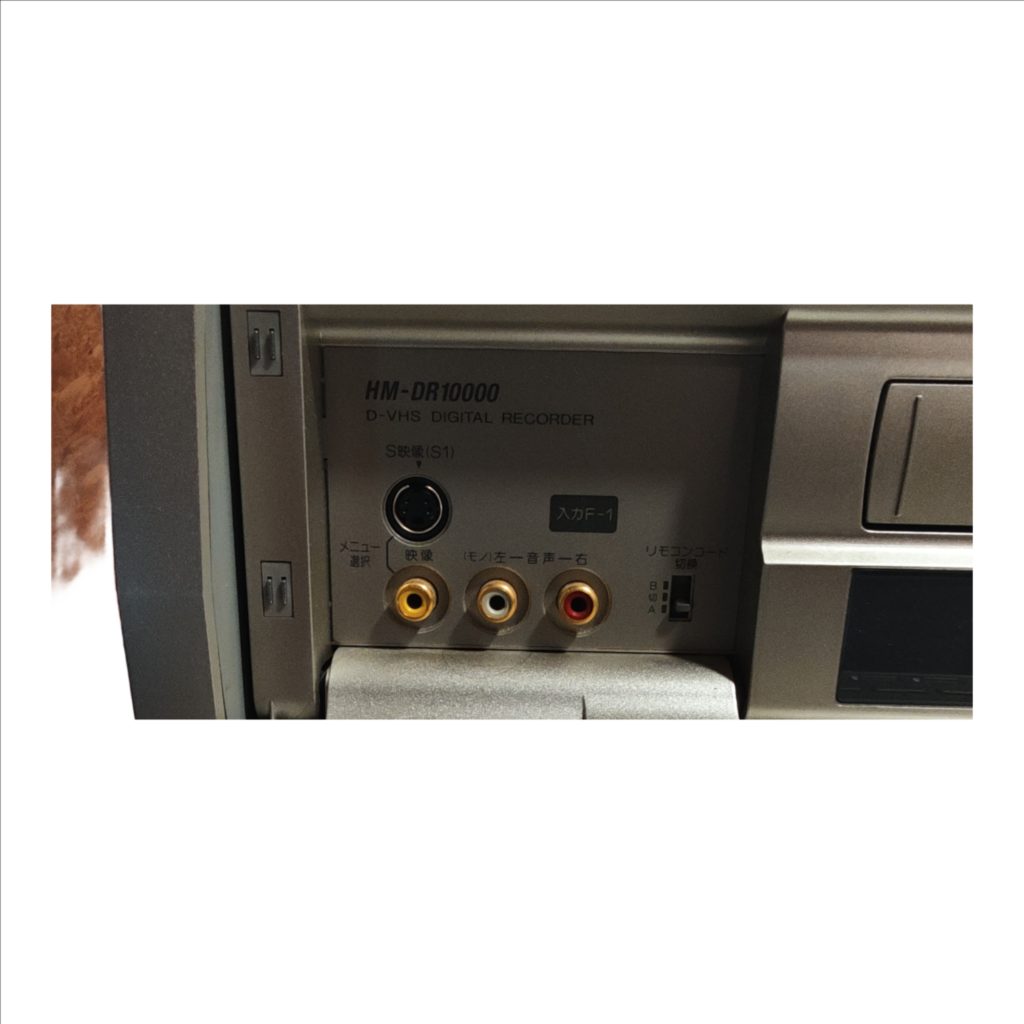
The Victor HM-DR10000 is a D-VHS deck that records and plays both analog VHS/S-VHS tapes and digital D-VHS tapes, with built-in MPEG-2 processing, digital TBC/3D-NR, S-VHS ET, and selectable speeds including STD and LS3 for long-play. A flip-down front door provides quick-connect F-1 inputs (S-Video, composite, L/R audio) and full transport/navigation controls with a jog/shuttle for precise search, while the rear panel offers permanent A/V inputs/outputs (composite, S-Video, stereo audio), RF antenna loop-through, BS-IF pass-through, a D1 video output, and an AC100V mains inlet for fixed installation.
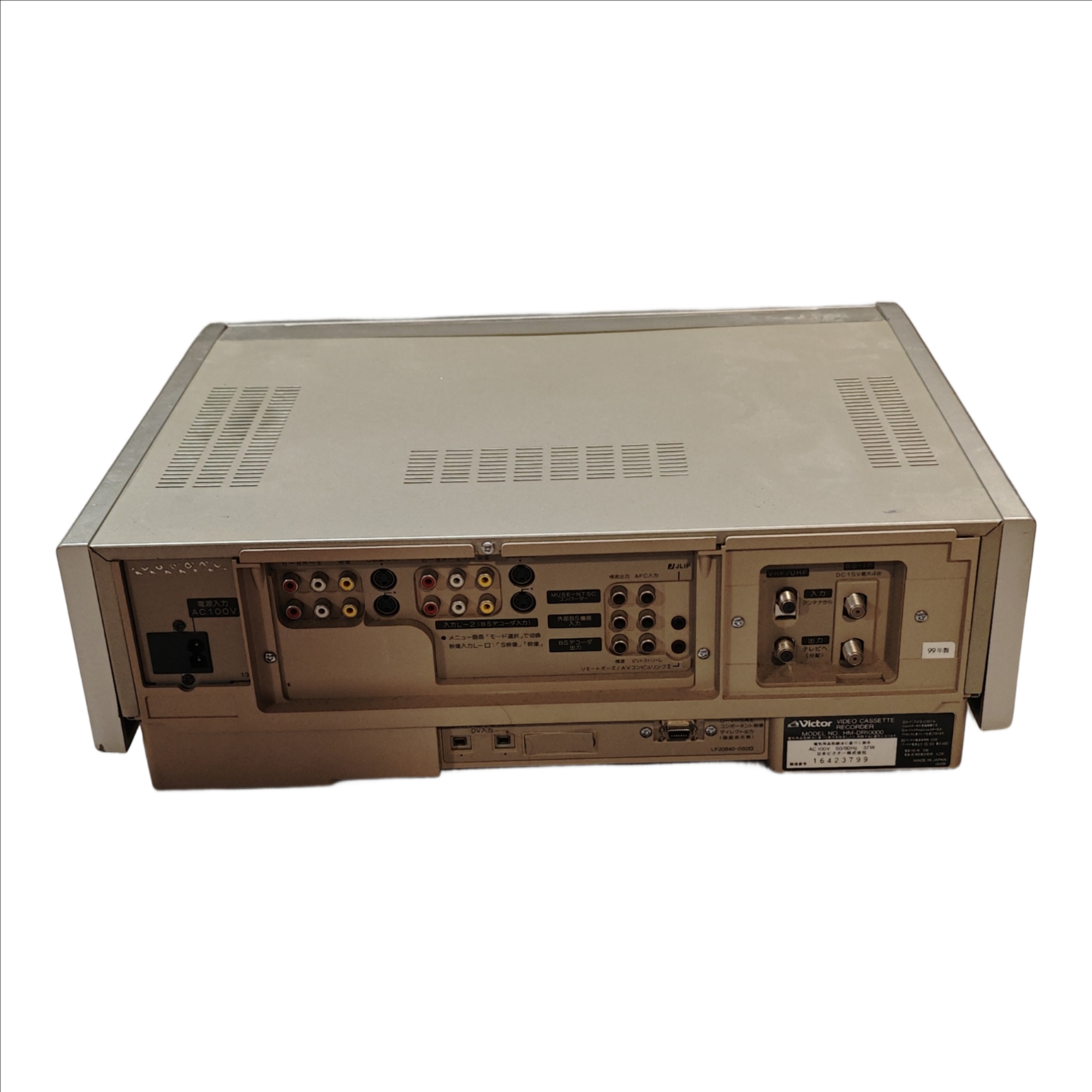
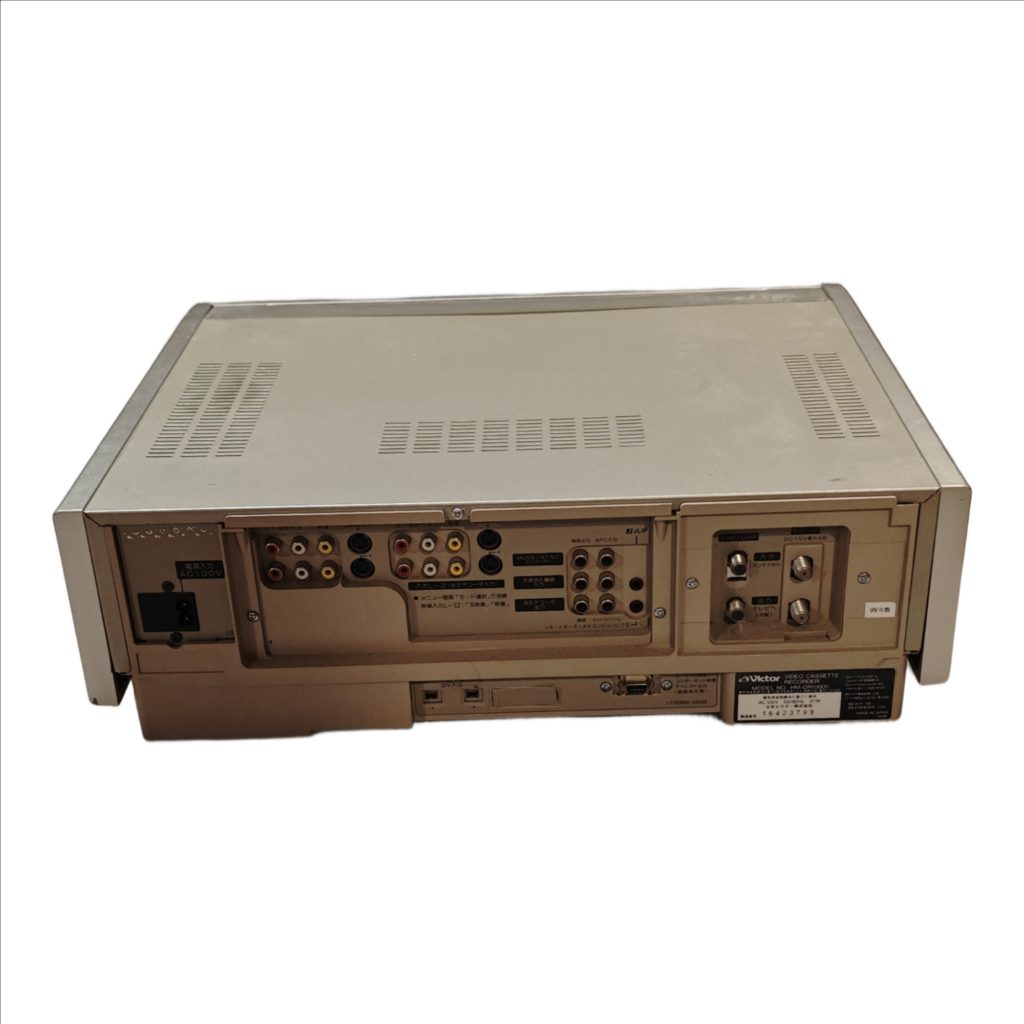
The rear of the Victor HM-DR10000 is the permanent-hookup side: mains power, baseband A/V I/O, RF loop-through, and a D1 video connector. Use the front flap for quick, temporary sources; use the rear for your TV/receiver, capture device, and antenna/satellite pass-through.
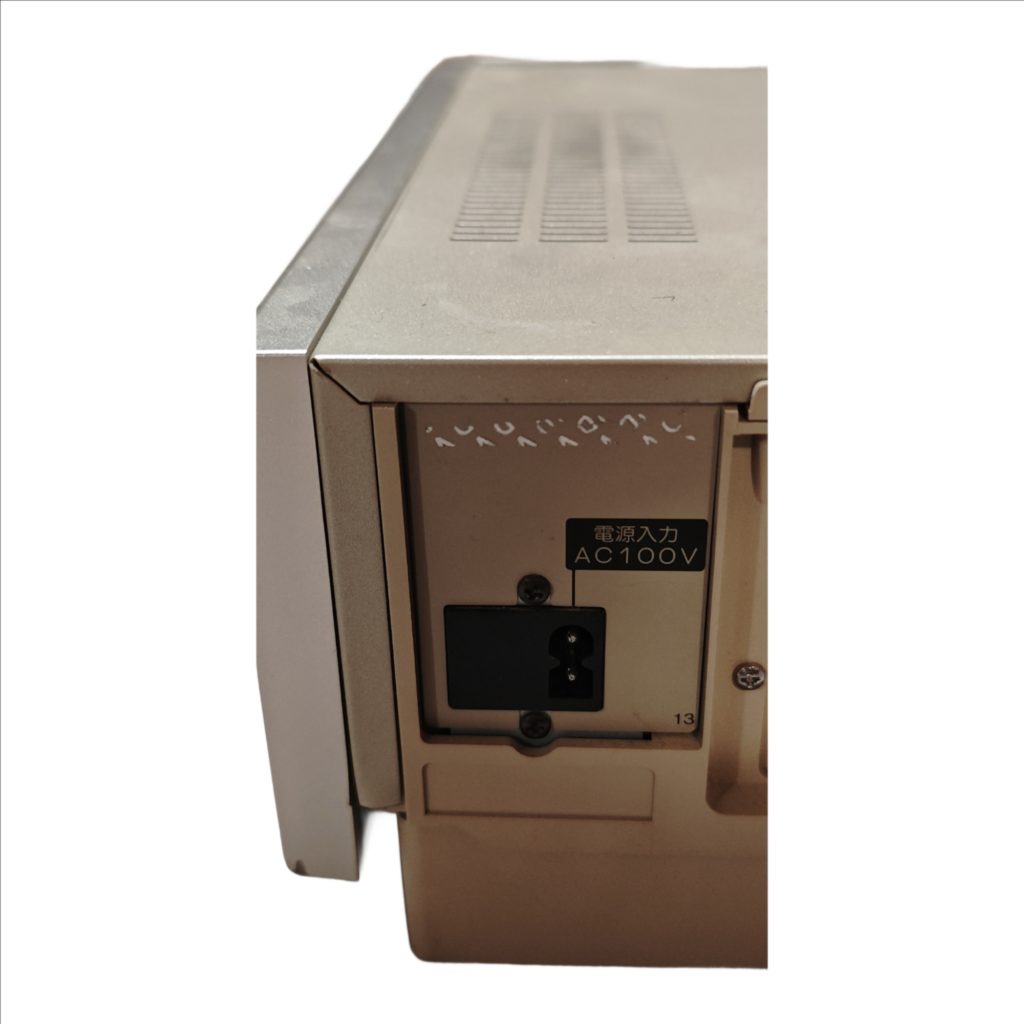
Power Inlet (電源入力 AC100V)
The rectangular socket labeled 電源入力 AC100V is the mains inlet. It accepts the deck’s two-pin Japan-market power lead. It carries power only. If your wall supply is not 100 V AC, use a suitable step-down before this inlet. The front Power button controls on/off once the cord is connected.
Composite Video Output (映像 出力・黄色)
The yellow RCA jack marked 映像 in the 出力 group sends standard-definition interlaced video. It carries 480i for NTSC sources (this deck’s native system). It does not carry audio. Use this when your TV or capture device lacks S-Video or D-terminal. Picture quality is lower than S-Video because color and brightness are combined.
Stereo Audio Outputs (音声 出力 左=白/右=赤)
The white and red RCA jacks in the 出力 group send analog line-level stereo. They carry sound only. Pair them with either Composite Output, S-Video Output, or D1 Output for a complete A/V connection to a TV, receiver, or capture device.
S-Video Output (S映像 出力)
The round mini-DIN labeled S映像 in the 出力 group sends standard-definition interlaced video with luma and chroma separated. It carries 480i. It does not carry audio. Use S-Video plus the white/red audio outputs for the cleanest analog SD picture when your display or capture device supports S-Video.
Composite Video Input (映像 入力・黄色)
The yellow RCA jack in the 入力 group receives standard-definition interlaced video from another device for recording. It accepts 480i. It does not accept audio. Use it when your source has only composite video.
Stereo Audio Inputs (音声 入力 左=白/右=赤)
The white and red RCA jacks in the 入力 group receive analog line-level stereo from a source you want to record. They carry sound only. Always connect these alongside Composite Input or S-Video Input when making an analog recording.
S-Video Input (S映像 入力)
The round mini-DIN labeled S映像 in the 入力 group receives standard-definition interlaced video for recording. It accepts 480i. It does not accept audio. Use it with the white/red audio inputs from the same source for the best analog recording quality.
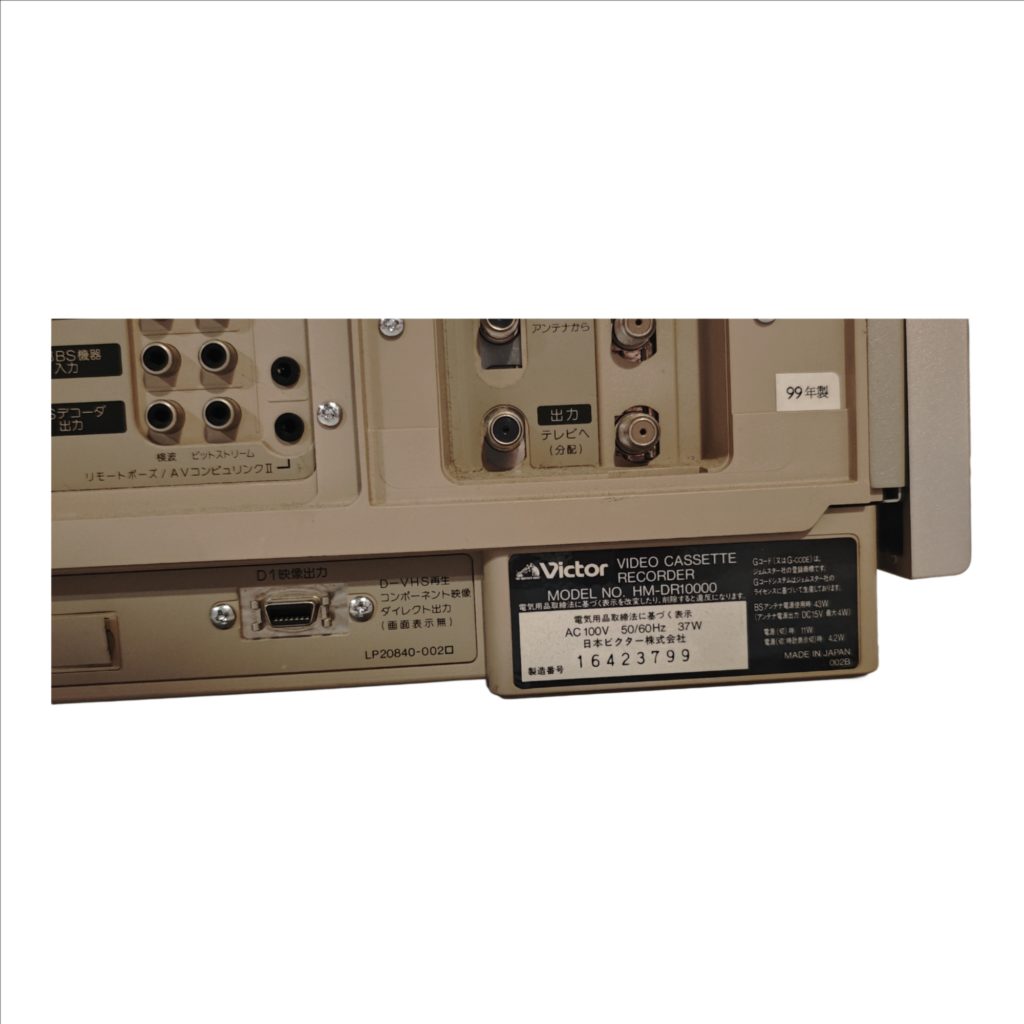
D-Terminal Video Output (D1信号出力)
The thin blade-style jack labeled D1信号出力 is a Japanese D-terminal. “D1” denotes 480i component-style analog video. It carries video only, no audio. Use it when your display or scaler has a D-terminal input or an appropriate D-to-component (Y/Pb/Pr) cable. It does not output 480p/720p/1080i; it is strictly SD interlaced.
i.LINK / IEEE1394 / FireWire Ports (i.LINK)
The two small square i.LINK ports are IEEE1394. They carry digital data streams, not analog audio/video. They support DV camcorders (DV25 at 480i/576i, depending on the cam) and MPEG-2 transport streams between D-VHS decks and compatible digital tuners. Use i.LINK to record or play digital sources at native resolution and bitrate. When an HD broadcast is recorded via i.LINK, full resolution remains on tape and is available again over i.LINK; the deck’s analog outputs still display standard-definition during playback.
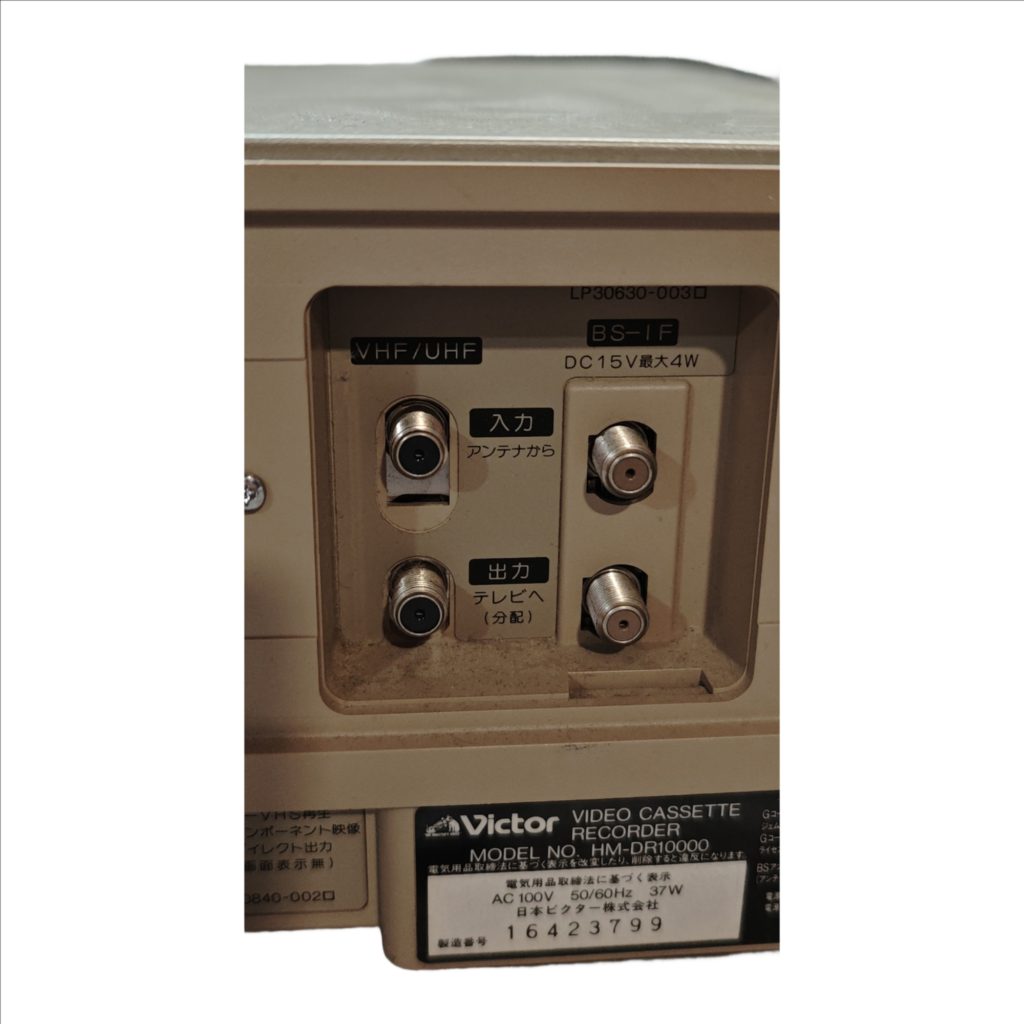
RF Terrestrial Pass-Through (VHF/UHF 入力/出力)
The pair of threaded F-type jacks labeled VHF/UHF are a loop-through for a rooftop or indoor antenna. 入力(アンテナから) is the antenna feed in. 出力(テレビへ/分配) passes that same RF on to the TV or a splitter. These are not audio/video jacks for your tape playback; they exist so your TV’s tuner still sees broadcast signals with the VCR in line.
Satellite IF Pass-Through (BS-IF DC15V 最大4W)
The adjacent pair of F-type jacks marked BS-IF provide a through-path for a satellite intermediate-frequency feed. The label DC15V 最大4W indicates the path can pass up to 15 V at 4 W to power an inline satellite device. They do not output the VCR’s picture or sound and are not used for capturing or watching tapes.
Control Ports (リモートポーズ/AVコンセントリンク)
The small control mini-jacks near the A/V cluster are low-voltage control lines for compatible Victor/JVC equipment. They start/stop the deck for synchronized dubbing. They do not carry audio or video and are not for headphones or microphones.
What Each Connection Lets You Record
Composite Input and S-Video Input feed the deck’s analog recording path. Both are limited to standard-definition interlaced (480i). S-Video yields cleaner color separation than composite. The i.LINK ports feed the digital recording path and can store DV camcorder streams at native DV resolution and digital broadcasts as MPEG-2 transport streams, including HD content when supplied by a compatible tuner or D-VHS source. The RF pass-throughs do not record anything by themselves; they simply route antenna or satellite RF to other devices.
What Each Connection Lets You Play
Composite Output, S-Video Output, and D1 Output provide standard-definition interlaced video for any tape type. Use the stereo audio outputs for sound. The i.LINK ports provide a digital stream back out for devices that can decode DV or MPEG-2 transport; this is how you access full-resolution digital recordings made via i.LINK. The RF pass-throughs do not output the deck’s playback.
Resolution and Signal Behavior
All analog rear video jacks-Composite Output, S-Video Output, and D1 Output-deliver 480i. None of these carry audio. Audio always travels on the white/red RCA outputs. Analog inputs accept 480i only. i.LINK transports digital streams at their source resolution and bitrate; DV camcorders are 480i/576i in DV25, while digital broadcasts or D-VHS sources can be SD or HD. Full HD remains within the i.LINK domain and on tape; analog viewing remains SD.
Hooking Up to a Television
If the TV has S-Video and stereo RCA, connect S映像 出力 to the TV’s S-Video input and connect white/red 音声 出力 to the TV’s left/right audio inputs. Select that S-Video input on the TV. If the TV lacks S-Video, use Composite Output (yellow) plus the white/red audio outputs and select that AV input on the TV. If the TV supports D-terminal, connect D1信号出力 and add the white/red audio outputs, then select the D-input.
Hooking Up to an AV Receiver or Scaler
Connect either S-Video Output or Composite Output plus the white/red audio outputs to the receiver/scaler’s corresponding inputs. Route the receiver/scaler to the TV as usual. If the scaler accepts D-terminal, use D1信号出力 with separate white/red audio for the cleanest SD analog path the deck provides.
Hooking Up to a Capture Device
Connect S-Video Output to the capture device’s S-Video input and connect white/red audio outputs to the capture device’s stereo inputs. In capture software, select S-Video and line-level stereo. If the capture device lacks S-Video, use composite video plus white/red audio. For lossless digital ingest of DV or D-VHS streams, connect i.LINK to a compatible IEEE1394 interface and ingest the digital stream directly.
Recording from an Analog Source at the Rear
Connect the source’s S-Video or composite video to S映像 入力 or 映像 入力 and connect its white/red audio to 音声 入力 左/右. On the deck, select the corresponding Line input and press Record. The deck stores the incoming 480i signal; S-Video reduces color bleed compared with composite.
Recording from a DV Camcorder over i.LINK
Connect the camcorder’s IEEE1394 port to the deck’s i.LINK. Set the deck to i.LINK input, press Record on the deck, then Play on the camcorder. The deck writes a direct digital copy at native DV resolution with no analog conversion.
Recording a Digital Broadcast or Another D-VHS via i.LINK
Connect the digital tuner or D-VHS deck to i.LINK. Set this deck to i.LINK input and record. The MPEG-2 transport stream is written at its original resolution and bitrate, including HD when provided. Playback at full resolution is available again via i.LINK to a compatible device; analog rear outputs remain SD for viewing.
Using the RF and Satellite Pass-Throughs
Connect the rooftop or indoor antenna to VHF/UHF 入力(アンテナから) and connect VHF/UHF 出力(テレビへ/分配) to the TV’s antenna input. This preserves broadcast reception through the VCR. For satellite, connect the dish/LNB or BS tuner feed to BS-IF IN and pass it to BS-IF OUT, staying within the DC15 V 4 W pass-power printed on the label.
Choosing the Best Analog Picture Path
Prefer S-Video for the cleanest SD analog picture if your TV or capture device supports it. Use Composite when S-Video is unavailable. Use D1 when your display supports the Japanese D-terminal and you want component-style 480i from this deck. Always add the white/red audio pair to carry sound.
Verifying You’re on an Output, Not an Input
Before troubleshooting, confirm your cable is on 出力 when going to a TV/receiver/capture, and on 入力 when coming from a source you intend to record. Matching labels prevents the common “no picture” error.
Basic Troubleshooting Without Prior Experience
If the TV shows black-and-white after you used S-Video, change the TV to its S-Video input; many sets treat S-Video and composite as separate selections on the same jack cluster. If you have sound but no picture, re-check that the yellow or S-Video plug is on an output and that the TV is on the correct input. If you have picture but no sound, reseat the white/red plugs and select line-level stereo, not “mic,” on capture devices.
Japanese-to-English Translation Key (Rear Labels)
電源入力 = Power input
映像 = Video (composite)
音声 左/右 = Audio Left / Right
S映像 = S-Video
入力 = Input
出力 = Output
D1信号出力 = D-terminal 480i video output
i.LINK = IEEE1394 / FireWire
VHF/UHF 入力(アンテナから) = Antenna in
VHF/UHF 出力(テレビへ/分配) = Out to TV / distribution
BS-IF = Broadcast Satellite intermediate frequency
DC15V 最大4W = DC 15 V power-pass limit
リモートポーズ/AVコンセントリンク = Remote Pause / AV Compu Link