Lightworks Video Editor 12.6 for Windows

The professional editor for everyone

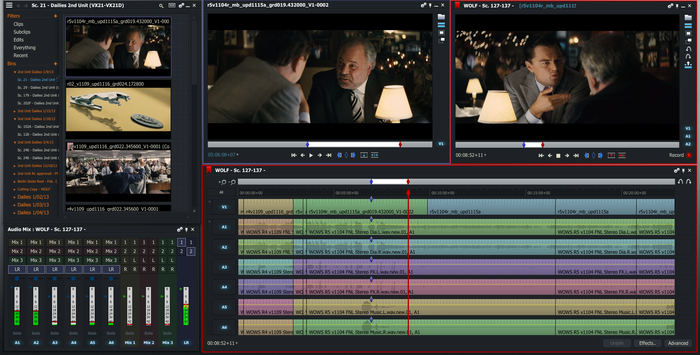
Lightworks is EditShare’s Academy and Emmy award-winning, professional Non-Linear Editing (NLE) software supporting resolutions up to 4K as well as video in SD and HD formats. In the last 25 years Lightworks has been used to edit some of the finest films in cinema history: The Wolf of Wall Street, LA Confidential, Pulp Fiction, Heat, Road to Perdition, Hugo, The King’s Speech and many more! We’re proud of its heritage and we want to share it with you. Discover the incredible features of this application and why Oscar nominated editors around the world use Lightwork Pro every day.

Members only: browse freely; create a free account or log in to download.

Windows 7 Codec Pack v4.1.5

Windows 7 Codec Pack includes required codecs for HDDVD Playback in windows (pack has been tested and  working from windows XP – 10 although there is a windows 10 specific edition)

Package Overview:
The Windows 7 Codec Pack supports almost every compression and file type used by modern video and audio files.
The package is easy to install, while also offering advanced settings to the high end user:
For simple installation select “Easy Installation”.
For advanced installation options select “Expert Installation”. 

Codec’s Explained:
A codec is a piece of software on either a device or computer capable of encoding and/or decoding video and/or audio data from files, streams and broadcasts. The word Codec is a portmanteau of ‘compressor-decompressor’

Compression types that you will be able to play include:
x265 | h.265 | HEVC | 10bit x264 | x264| h.264 | AVCHD | AVC | DivX | XviD 
MP4 | MPEG4 | MPEG2 and many more.

File types you will be able to play include:
.bdmv | .evo | .hevc | .mkv | .avi | .flv | .webm | .mp4 | .ts | .m4v | .m4a | .ogm 
.ac3 | .dts | .flac | .ape | .aac | .ogg | .ofr | .mpc | .3gp and many more.

Resolutions supported include:
All resolutions upto, and including SD (Standard Definition) 480i, 480p, 576i, 576p, + HD (High Definition) 720i, 720p, 1080i, 1080p, 4k, and beyond.

By using SlySoft AnyDVD HD with this Codec Pack users can play:
Protected Bluray, HD-DVD, AVCHD, DVD, CD discs.

Package Components:
● ffdshow DirectShow Video Codec x86 version 1.3.4533 by Cole.
● LAV Video decoder 0.66 x86.
● LAV Video decoder 0.66 x64.
● XviD Video VFW (Encoder) Codec v1.3.3.
● x264 Video VFW (Encoder) Codec v40.2491.
● Lagarith Video VFW (Encoder) Codec v1.3.27 x86.
● LAV Audio Decoder 0.66 x86.
● LAV Audio Decoder 0.66 x64.
● DivX Audio Decoder 4.1
● madFLAC Decoder 1.1.0 x86.
● DSP-worx Bass Source Mod Filter/Decoder v1.5.2.0.

● Haali Media Splitter/Decoder 16/09/11 x86 – For MP4, MKV, OGM and AVI files.
● Haali Media Splitter/Decoder 16/09/11 x64 – For MP4, MKV, OGM and AVI files.
● LAV Splitter 0.66 x86.
● LAV Splitter 0.66 x64.
● xy-VSFilter/DirectVobSub 3.0.0.211 x86 – Subtitle Reader.
● xy-VSFilter/DirectVobSub 3.0.0.211 x64 – Subtitle Reader.
● CDXA Reader v1.7.9 x86 – Also known as Form 2 Mode 2 CD or XCD.
● CDXA Reader v1.7.9 x64 – Also known as Form 2 Mode 2 CD or XCD.

● Codec Settings GUI
● Taskbar Tray Menu
● Update Checker

Members only: browse freely; create a free account or log in to download.

X-Codec Pack 2.7.4

X Codec Pack (fka XP Codec Pack) is one of the most complete codec packs which helps you to play all major audio and video formats. Now, with support for Windows 8 and 64 bits! And… to enjoy your multimedia experience, instead of 3 or 4 different players you get one, simple integrated player that plays almost all audio and video files: Media Player Classic Home Cinema.

Members only: browse freely; create a free account or log in to download.
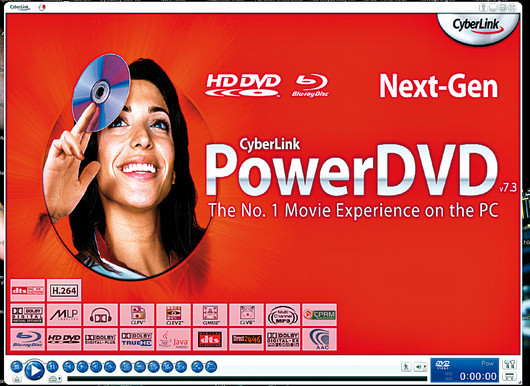
CyberLink PowerDVD 7.3 HD DVD Playback Fix for Windows 10

As I’ve had a lot of trouble getting my HD-DVD collection to work in Windows 10 I thought I’d write a quick guide to help others and remind myself next time I reinstall or upgrade.

Prerequisites –

  • PowerDVD 7.3
  • Windows 10
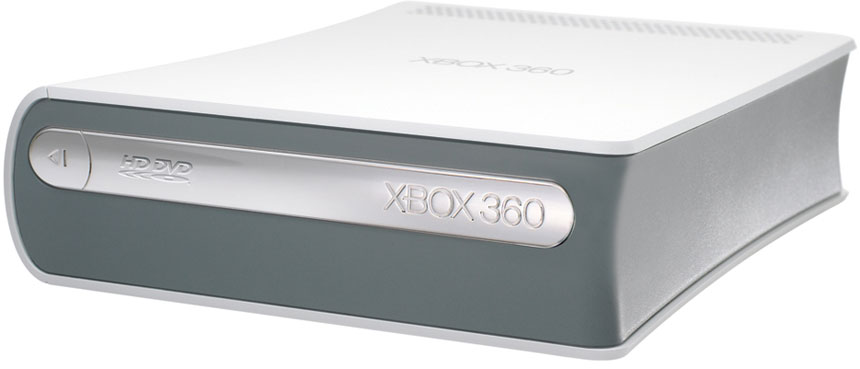
  • Xbox HD-DVD Drive
  • This patch CyberLink.5711_TaRe43_DVD090826-05 

First off connect your HD-DVD drive to your PC and let windows install the drivers for it.

Next install and activate PowerDVD 7.3, if you now try to play a disc it will say incompatible graphics card, so download the CyberLink.5711_TaRe43_DVD090826-05 patch above, now before running the patch go to C:WindowsInstaller (this is a hidden directory so make sure your windows options let you see hidden and system files), delete the contents of this directory, you may get some warnings just click ok.

Now install the patch, once this has completed run PowerDVD again, it may say critical updates are needed, I clicked to allow them, once PowerDVD responds again play your HD-DVD and it should work.


original Tutorial from: https://www.daniel-baker.eu/2015/09/hd-dvd-on-windows-10-with-powerdvd-7-3/

Download includes the required patch file

Members only: browse freely; create a free account or log in to download.
HD DVD Autorun Patch for Windows 7

This patch will associate windows 7 integrated media players with autorun for HDDVD discs (ONLY WORKS ON WINDOWS 7 !) Run as administrator.

Members only: browse freely; create a free account or log in to download.
HD DVD Filesystem / UDF Patch for Windows XP

This patch for windows XP allows your computer to read the filesystem used on HDDVD discs. This will help you playback HDDVD 5 and 9 discs with a standard optical drive in windows XP. And will also allow you to read HDDVD15 and HDDVD30 discs using an actual HDDVD drive.

Members only: browse freely; create a free account or log in to download.
Combined Community Codec Pack 2015-10-18 (32-bit)

Exactly what does the CCCP install and why?

CCCP Start Menu Group, All Options Installed

The current playback pack will install:

  • Haali Media Splitter 1.10.262.12 (MKV, MP4, OGM/OGG, TS, AVI)
    • Used for compliant MKV playback. Attempts to disable other MKV splitters on the system. Certain Matroska features are available only with Haali’s splitter and not in Gabest’s. This filter is also capable of being used as a splitter for MP4, OGM and OGG, MPEG-PS, MPEG-TS, and also AVI. AVI and MPEG-PS are not used by default in the pack and is not recommended to do so. You will, however, need the MP4, OGM and TS parts for playing those files. The installer will also set the source filter for each container only if it is checked in the installation, this fixes any issues with previously installed splitters by overriding them.
  • VSFilter (MPC-HC) 2.40.2677.0 (SSA/ASS, SRT, VOBSUB subtitles)
    • For displaying subtitles. It will attempt to disable any previous DirectVobSub installations you might have.
  • FFDShow Tryout 1.1.3611.0 (H.264/AVC, DivX, Xvid, various audio formats etc.)
    • Decodes H.264, Xvid, DivX, generic MPEG-4, Flash video (FLV1 and FLV4), and others. Also used for audio decoding with the following formats turned on by default: AAC, Vorbis, MP3, MP1/2, AC3, DTS, FLAC, TTA, AMR, LPCM. If you would like to turn off ffdshow decoding for a specific video or audio format, read further down for instructions on how to do it properly.
  • MPEG-2 Decoder (MPC-HC) 1.4.2677.0
    • Decodes MPEG2 video (the stuff on a DVD). The filter currently has an extremely low merit level and also MPEG1 decoding removed. It is primarily included as a fallback for DVD MPEG2 decoding if the user does not already have another MPEG2 decoder installed. A few other patches donated by Haali for interlaced/progressive fixes.
  • CoreWavPack 1.1.1
    • Decodes WavPack audio and splits WavPack audio files (.WV) for playback in DirectShow. The only DirectShow implementation to support all three WavPack modes: lossless, lossy, and hybrid.
  • FLV Splitter (MPC-HC) 1.4.2677.0
  • Media Player Classic Home Cinema 1.4.2677.0
    • Based on the original “Media Player Classic” and was created after Gabest, the original author, stopped working on it. Many new player features have been integrated in this player.

Legacy information:

  • WMV9VCM
    • Required to play WMV9 content if you don’t have Windows Media Player 9 or 10, Windows Media Format SDK, or Microsoft Codec Installation Package for Windows Media Player 7.1 installed – ffdshow can’t decode WMV9. If any of those are installed, then WMV9VCM will be ignored during playback (even if it was installed by CCCP) and the WMV9 codecs that come with them will be used instead (which is a good thing).
    • Starting with CCCP15, WMV9VCM will no longer be included. It is still listed here for those who are using our last pack to support Win9x and include WMV9VCM (CCCP14 – 2007-02-22).

What other stuff does the CCCP change when installing, and why?

Altered settings

  • VSFilter
    • Vertical padding: original height – This makes VSFilter keep the aspect ratio – any other value will make it stretch or squeeze it. This is particularily noticeable when playing anamorphic encodes.
    • Load when needed – Only loads VSFilter when there are subs to display.
    • Apply changes immediately – Makes it possible to change VSFilter settings and/or the subtitle stream without restarting playback.
  • MPC
    • Use overlay mixer as video output renderer – Overlay mixer is used as the default renderer for several reasons, compatibility being one of the foremost. VMR7 is only available on Windows XP and VMR9 is horribly buggy (jagged edges and extreme smoothing are common problems). The VMR7 renderless and all VMR9 modes have a tendency to make the video look distinctly greenish, especially on nVidia video cards. The overlay mixer should be the most accurate renderer – it shows you what the video really looks like. So for both compatibility and quality, we use overlay. If, however, you have issues using overlay, try the VMR7 windowed mode.
    • Use default DirectSound audio device – This is mainly to avoid bugs that appear when trying to decode Vorbis audio through the WaveOut device. Also, DirectSound might use slightly less CPU resources, especially on Windows 2000/XP.
    • Audio normalization off – This is better done in ffdshow’s audio decoder, if at all. It’s off by default there too – simple volume control usually works better.
    • Disable certain internal filters – If MPC’s internal filters are enabled, they will be used instead of DirectShow filters. Since we want to actually use the components we install, MPC’s internal filters are disabled depending on what else is installed with the CCCP. Note that some of MPC’s internal filters are outdated and shouldn’t be used – most importantly the MKV splitter.
  • Haali Media Splitter
    • Unregister Gabest’s MKV splitter – Gabest’s splitter is old and outdated, but has a higher DirectShow priority, so if it is installed it will be used instead of Haali’s splitter. Therefore, we try to unregister Gabests splitter upon installation.
    • Autoload fonts without asking – This is needed to play softsubbed MKV’s that has nonstandard fonts muxed into the file. If this option is off, the splitter will ask if you want to load the fonts, and that quickly becomes annoying.
    • Try to open linked files – Makes the splitter try to load linked files. Linking is a feature that allows splitting in a special fashion so that the encoder can, for example, split a movie to two 700 MB files, but have either of them behave as the whole file as long as they are in the same directory. Since some releases use this feature, we have chosen to enable it.
  • ffdshow video
    • Overlay mixer checkbox set to grey state – The only mode that doesn’t break aspect ratios.
    • YV12 colorspace output enabled – This used to be disabled for broad user compatibility reasons. Nowadays any vidcard should support YV12, except in the case of broken drivers. It should be noted that YV12 mode is faster on graphic cards that properly support it.
    • Allow output format changes set to grey state – Set this way for compatibility reasons (especially with WMP10). Grey state means that ffdshow will allow output format changes during playback, but only when connected to a renderer that is known to support it.
    • iDCT set to libmpeg2 – This implementation is the one that performs best according to our tests. It also deals correctly with old DivX encoded content.
  • ffdshow audio
    • AAC decoding set to libfaad2 – realaac doesn’t support parametric stereo (not that anyone should be using that, but who knows), and it seems to crash under certain, rare conditions.
    • Oblivion.exe added to blacklist – Oblivion seems to use DirectShow to play sound, and could cause a flood of ffdshow icons in the systray.
    • Normalize disabled in the Volume filter – One pass normalization is something we generally try to avoid. Note that the Volume filter itself is disabled by default, so it’s just there for people who might enable the filter manually.
    • Normalize disabled in the Mixer filter

Attempted uninstallation of known trouble-causing DS filters

  • On installation, the pack will attempt to uninstall some things that are known to cause problems (it’s HIGHLY recommended that you let the pack uninstall these for you).
    • DirectVobSub – Conflicts with VSFilter, since DVobSub is an older version of VSFilter. The CCCP version of VSFilter is up-to-date and well tested, and should be used instead of any other version.
    • Morgan Stream Switcher (mmswitch.ax) – Possibly the buggiest DirectShow filter ever, and it’s not needed with the filters and players the pack installs.
    • Matrix Mixer – Buggy and completely unnecessary, since ffdshow and the players can do what it does.
    • Gabest’s Matroska Splitter (MatroskaSplitter.ax) – See the entry on Haali above.
    • Intervideo MPEG4 Decoder (MP4VDEC.AX) – Has higher priority than just about everything else and has never actually managed to decode MPEG4 video properly.

The settings manager

  • There are some additional settings in the last page of the installer. Refer to the general FAQ entry about the settings manager for detailed descriptions of what they mean. Basically, if you’re not sure about what they mean, don’t change them. The defaults should work fine for most people.

I want to use Xvid for decoding Xvid. How do I set it up properly?

<p style="margin-top: 0.5em; margin-bottom: 0.5em; line-height: 22.4px; color: rgb(

Members only: browse freely; create a free account or log in to download.
Media Player Classic HC 1.7.10 (32-bit)

We have tested Media Player Classic for windows and it plays he .EVO files used on HDDVDs (although you may need an application such as anydvd HD to decrypt the disc first) Menus are generally Non-Functional but all video playback is functional.

Just play the .EVO files stored in the HVDVD_TS folder on your disc. (Tested on windows xp, Vista, 7, 8 and 8.1 and 10 ) Please ensure you have installed codec packs first.

The easiest way to watch the movie is to open the application. 

1. Click File

2. Click Open Directory

3. Navigate to your HDDVD Drive and click the “HVDVD_TS” Directory and click and “select folder” button and the disc will play from beginning to end

  • Supported Operating Systems:

    Windows® XP SP3, Vista, 7, 8, 8.1, 10 both 32-bit and 64-bit

  • System Requirements:

    An SSE capable CPU 

Members only: browse freely; create a free account or log in to download.
Media Player Classic HC 1.7.10 (64-bit)

We have tested Media Player Classic for windows and it plays he .EVO files used on HDDVDs (although you may need an application such as anydvd HD to decrypt the disc first) Menus are generally Non-Functional but all video playback is functional.

Just play the .EVO files stored in the HVDVD_TS folder on your disc. (Tested on windows xp, Vista, 7, 8 and 8.1 and 10 ) Please ensure you have installed codec packs first.

The easiest way to watch the movie is to open the application. 

1. Click File

2. Click Open Directory

3. Navigate to your HDDVD Drive and click the “HVDVD_TS” Directory and click and “select folder” button and the disc will play from beginning to end

  • Supported Operating Systems:

    Windows® XP SP3, Vista, 7, 8, 8.1, 10 both 32-bit and 64-bit

  • System Requirements:

    An SSE capable CPU 

Members only: browse freely; create a free account or log in to download.

ArcSoft TotalMedia Theatre 3.0 (old version)

This is a very old version of arcsoft that supports HDDVD playback. This download does not iclude a serial number and is here for archiving purposes only to allow people with a licence for version 3.0 or higher to reinstall 3.0 to play HDDVDs. Media Theatre only works in windows XP – 7 But not 8 or 10.

Members only: browse freely; create a free account or log in to download.