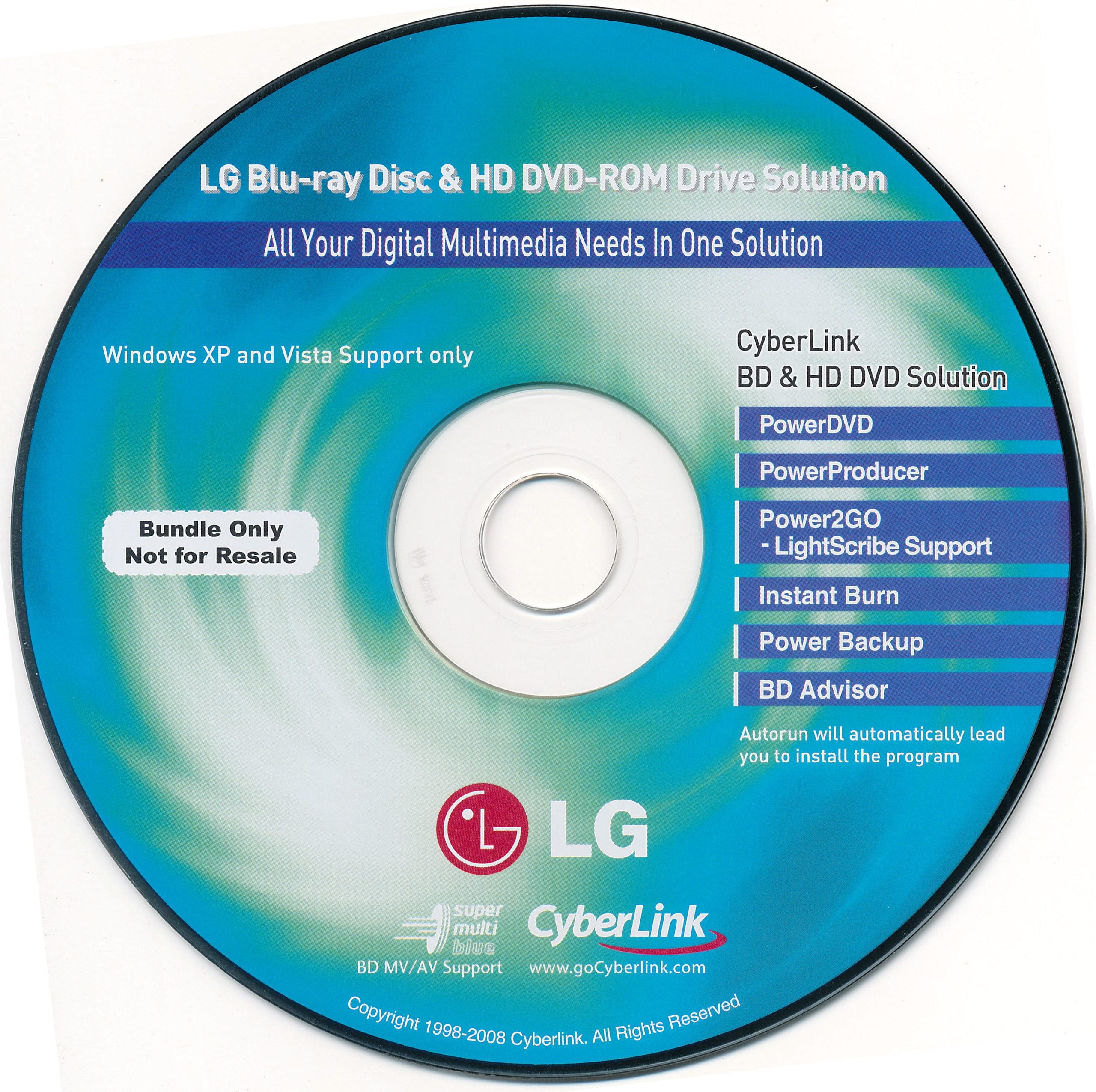
Software disc bundled with the LG GGC-H20L Super Multi Blue drive – one of the better consumer BD + HD DVD combo readers. The bundle is the CyberLink “Blu-ray & HD DVD Solution” pack from the XP / Vista era.
Typical contents
CyberLink PowerDVD (BD / HD DVD playback)
CyberLink PowerProducer (authoring)
CyberLink Power2Go (burning, LightScribe)
Instant Burn, PowerBackup, BD Advisor utilities
Version / platform notes
Targeted at Windows XP and Vista (as stated on the original disc).
Useful if you are restoring an OEM drive setup or need period-correct CyberLink bits for that hardware.
On modern Windows you will usually prefer a later PowerDVD or ArcSoft TMT build instead.
Member download: after login the button opens the file page on the Internet Archive. A copy is not stored on this server. No warranty or support.
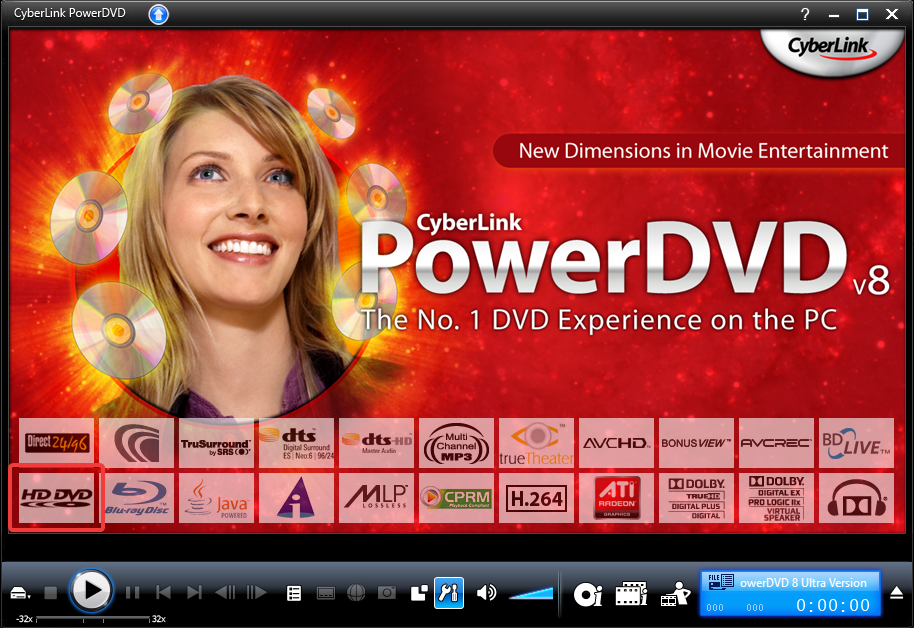
When CyberLink pulled HD DVD support from later PowerDVD 8 builds, the community kept a small set of files that re-enable HD DVD playback on the retail 8.0.1531.50 line (often discussed as the same idea as powerdvd8ultra_hd-dvd.rar).
This is not a full PowerDVD installer. You need a matching PowerDVD 8.0.1531.x install first. Newer PowerDVD versions are reported to crash or hang with these files.
Changelog / scope
Adds / restores HD DVD playback resources for PowerDVD 8.0.1531.x
Includes community notes and a registry dump from a working x64 setup
Results vary by Windows version – some people only got stable playback on older OS installs
Related
We already list the separate PowerDVD 7.3 Windows 10 playback fix under Service Packs & Patches for the 7.x line.
Member download: after login the button opens the file page on the Internet Archive. A copy is not stored on this server. No warranty or support.
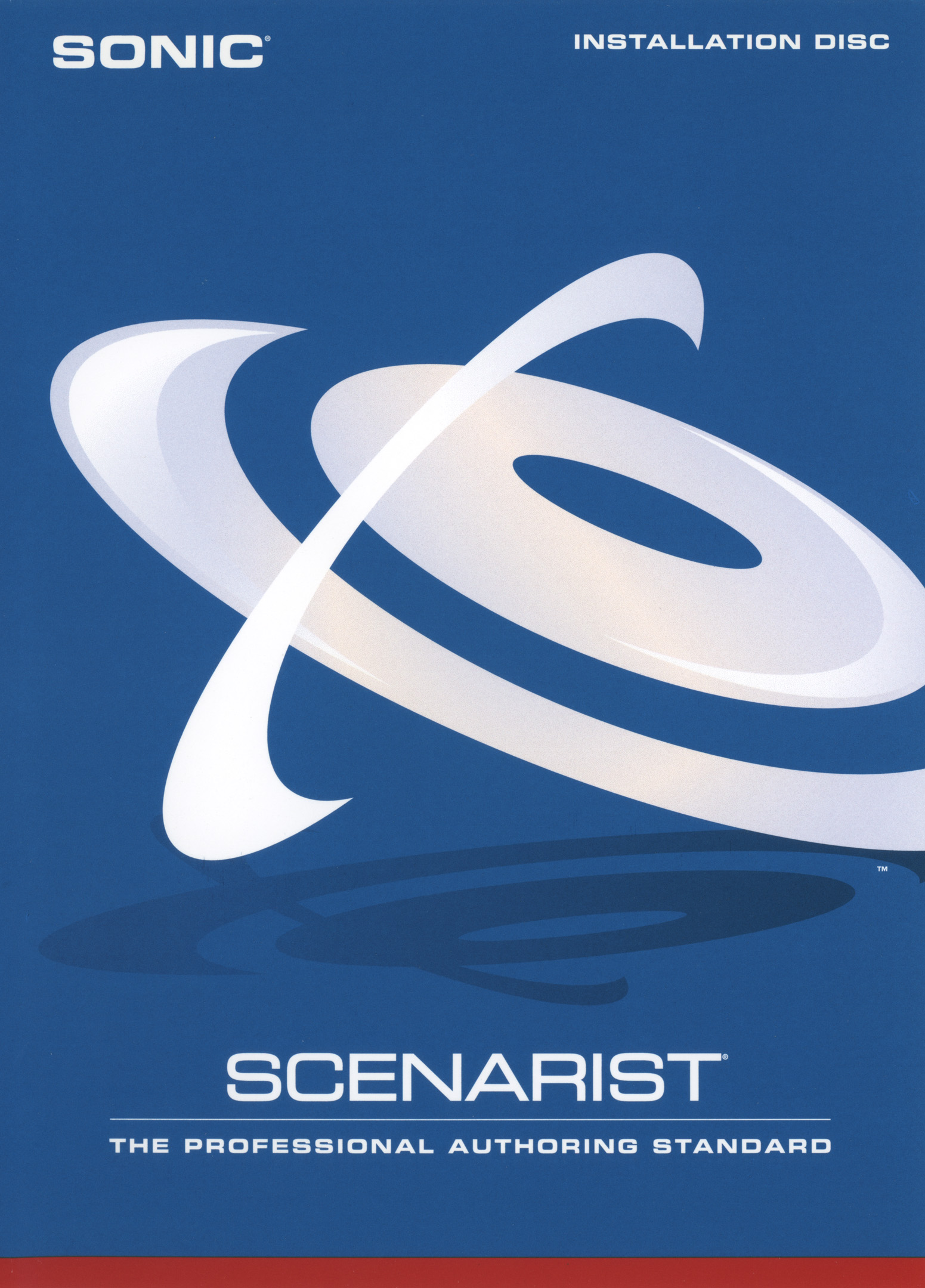
Sonic Scenarist for HD-DVD 4.5 is the professional Advanced Content authoring system used for commercial HD DVD titles. Archive listing includes Advanced Content 4.5, Standard Content 4.1.2, and training materials. A hardware dongle was required historically – we do not supply keys or dongles.
Guide: HD DVD Advanced Content (overview)
Install on a certified Windows workstation of the era; attach the Scenarist dongle if you have one.
Prepare assets: VC-1 / H.264 / MPEG-2 video per HD DVD bit-budget, plus secondary audio, subtitles, and HDi markup.
Use Scenarist Designer for graphics/HDi preparation, then Advanced Content Authoring for playlists, secondary EVOBs, chapter import, scheduled events.
Scenarist Formatter / pre-mastering produces the HD DVD image for replication or burner.
Validate on a reference HD DVD player. Interactive titles need Advanced Content; simpler titles may use Standard Content 4.1.2.
What Scenarist does not do
CBHD – different navigation (CETC), codecs (AVS/DRA), protection. Not an HD DVD Advanced Content project. Read the CBHD article.
VCD / CVD / DVD-Video / AVCHD / 8KDVD – use the consumer tools in Free Downloads.
Blu-ray Disc – needs Scenarist BD / other BD suites, not this HD-DVD package.
Members-only Archive link. We do not host this software on our servers. After you log in, the button opens the Internet Archive item. No warranty, no support, no endorsement. Your risk, your local law.
Ulead DVD MovieFactory 6 Plus trial (Archive) focuses on consumer DVD menus; with the HD Power Pack it grows into HD DVD / AVCHD / Blu-ray era projects.
Guide: DVD-Video
New Project → DVD-Video / +VR as offered. Add videos from hard disk.
Use the chapter tool; mark scenes for the chapter menu.
Menu wizard: intro video optional, main menu, chapter submenu. Apply themes; edit button text.
Preview. Create disc / burn / ISO. Prefer quality that fits single-layer unless you intend DVD-9.
Verify burn; test in hardware.
Guide: HD DVD (Plus 6 + HD Power Pack)
Install Plus 6, then the HD Power Pack plugin.
New HD DVD project. Import HD assets within the bitrate/resolution limits shown in the wizard.
Author HD menus; output for HD DVD burning if you have media/drive, or keep as a lab image.
Remember: this is HD DVD, not CBHD and not Blu-ray Disc Association BD-Java titles.
Guide: AVCHD
With HD Power Pack, choose AVCHD / BD-style project.
Import HD clips; menus; compile BDMV.
Burn to DVD with UDF 2.50 for AVCHD player compatibility.
Members-only Archive link. We do not host this software. After login the button opens the Archive item. No warranty, no support, no endorsement.
The MovieFactory 6 HD Power Pack unlocks HD DVD / Blu-ray / AVCHD authoring for Ulead DVD MovieFactory Plus 6. Requires MovieFactory Plus 6 separately.
Install & use
Install MovieFactory Plus 6 first.
Install the HD Power Pack plugin from the Archive package.
Open MF6 → new HD DVD or AVCHD/BD project types now available.
Import HD clips; author menus; burn or image out.
For AVCHD-on-DVD, confirm BDMV+CERTIFICATE layout and burn UDF 2.50 via ImgBurn if the built-in burner fails.
Members-only Archive link. We do not host this software on our servers. After you log in, the button opens the Internet Archive item. No warranty, no support, no endorsement. Your risk, your local law.
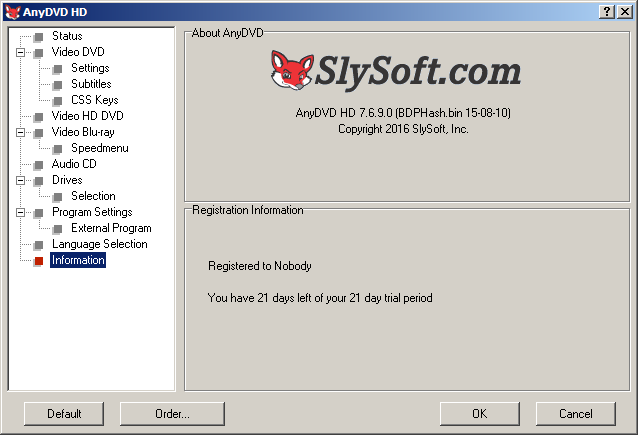
SlySoft AnyDVD HD 7.6.9.0 is a late SlySoft-era build from before the RedFox restructure. In the HD DVD years it was the common on-the-fly AACS tool for playing and imaging protected discs on Windows.
Version notes: 7.6.9.0 (build 7690). Community often cites nearby 7.6.9.x builds as the last useful SlySoft line for HD DVD. Online activation for unpaid use is dead; this listing exists only as a pointer to the Internet Archive item.
Disclaimer – please read.
These are outdated, unsupported tools for HD DVD, a discontinued optical format that is no longer a commercially supported video platform.
We do not host, mirror, redistribute, or transmit any of these binaries. The button below only opens a third-party page (Internet Archive item listing, or the vendor’s own site).
We provide no warranty of any kind – express or implied – including fitness for purpose, safety, malware-free status, or fitness for any particular use.
We offer no support, guidance, updates, keys, patches, or endorsement of these programs, their authors, or any third-party archive that may hold them.
Links are for historical / preservation reference only. Any use is entirely at your own risk and must comply with the laws that apply to you. If you are unsure, do not proceed.
HD DVD Revived / this site is not affiliated with SlySoft, RedFox, Xreveal, Archive.org, or the original authors of these tools.
BackupHDDVD is the early open Doom9-era utility (muslix64, late 2006) that kicked off practical HD DVD dumping. The Archive item keeps the original zip with program and source.
Version notes: original 2006-12 package. Tiny by modern standards; historically important more than polished. Later workflows moved to DumpHD / commercial tools.
Disclaimer – please read.
These are outdated, unsupported tools for HD DVD, a discontinued optical format that is no longer a commercially supported video platform.
We do not host, mirror, redistribute, or transmit any of these binaries. The button below only opens a third-party page (Internet Archive item listing, or the vendor’s own site).
We provide no warranty of any kind – express or implied – including fitness for purpose, safety, malware-free status, or fitness for any particular use.
We offer no support, guidance, updates, keys, patches, or endorsement of these programs, their authors, or any third-party archive that may hold them.
Links are for historical / preservation reference only. Any use is entirely at your own risk and must comply with the laws that apply to you. If you are unsure, do not proceed.
HD DVD Revived / this site is not affiliated with SlySoft, RedFox, Xreveal, Archive.org, or the original authors of these tools.
DumpHD 0.61 is a Java disc dump tool from the Doom9 / cyberside preservation mirrors. It targets HD DVD and Blu-ray structures and is usually paired with the separate aacskeys library.
Version notes: 0.61 (2009-era packaging). Archive item includes both .zip (Windows-oriented) and .tar.gz source-style archives.
Disclaimer – please read.
These are outdated, unsupported tools for HD DVD, a discontinued optical format that is no longer a commercially supported video platform.
We do not host, mirror, redistribute, or transmit any of these binaries. The button below only opens a third-party page (Internet Archive item listing, or the vendor’s own site).
We provide no warranty of any kind – express or implied – including fitness for purpose, safety, malware-free status, or fitness for any particular use.
We offer no support, guidance, updates, keys, patches, or endorsement of these programs, their authors, or any third-party archive that may hold them.
Links are for historical / preservation reference only. Any use is entirely at your own risk and must comply with the laws that apply to you. If you are unsure, do not proceed.
HD DVD Revived / this site is not affiliated with SlySoft, RedFox, Xreveal, Archive.org, or the original authors of these tools.
aacskeys is the companion AACS key library historically used with DumpHD. This listing points at the Archive item that holds the 0.4.0c and 0.4.0e source packages.
Version notes:aacskeys-0.4.0c and aacskeys-0.4.0e. Research / preservation packaging only.
Disclaimer – please read.
These are outdated, unsupported tools for HD DVD, a discontinued optical format that is no longer a commercially supported video platform.
We do not host, mirror, redistribute, or transmit any of these binaries. The button below only opens a third-party page (Internet Archive item listing, or the vendor’s own site).
We provide no warranty of any kind – express or implied – including fitness for purpose, safety, malware-free status, or fitness for any particular use.
We offer no support, guidance, updates, keys, patches, or endorsement of these programs, their authors, or any third-party archive that may hold them.
Links are for historical / preservation reference only. Any use is entirely at your own risk and must comply with the laws that apply to you. If you are unsure, do not proceed.
HD DVD Revived / this site is not affiliated with SlySoft, RedFox, Xreveal, Archive.org, or the original authors of these tools.
Xreveal is a current free Windows tool in the AnyDVD tradition, with an explicit HD DVD mode. We link the vendor site only – nothing is hosted here.
Version notes: use whatever current build the vendor ships. Prefer this over hunting dead SlySoft activators when you need something that still runs on modern Windows.
Disclaimer – please read.
These are outdated, unsupported tools for HD DVD, a discontinued optical format that is no longer a commercially supported video platform.
We do not host, mirror, redistribute, or transmit any of these binaries. The button below only opens a third-party page (Internet Archive item listing, or the vendor’s own site).
We provide no warranty of any kind – express or implied – including fitness for purpose, safety, malware-free status, or fitness for any particular use.
We offer no support, guidance, updates, keys, patches, or endorsement of these programs, their authors, or any third-party archive that may hold them.
Links are for historical / preservation reference only. Any use is entirely at your own risk and must comply with the laws that apply to you. If you are unsure, do not proceed.
HD DVD Revived / this site is not affiliated with SlySoft, RedFox, Xreveal, Archive.org, or the original authors of these tools.