
Blog Disc Catalogue EVD Guides
EVD Disc Catalogue: Titles and Publishers

What the catalogue evidence actually shows

No title-level catalogue of Enhanced Versatile Disc (EVD) releases was found in the research set. There is no verified spine list, no complete 版号 register and only one named demonstration title. What survives instead is a run of aggregate counts from 2003 through 2008, a short publisher roster, a thin price table and a recording template for the next disc that surfaces. Building an EVD filmography therefore starts from those aggregate claims and from publisher identity, not from a finished list of programmes.
Optical disc packaging example illustrating how period EVD cases need logo and publisher marks, not keyword-only listings
Period optical packaging is identified by logos and publisher marks, not by the word EVD alone. Photo: William Hook, CC BY-SA, via Openverse.

Catalogue-size claims over time

Date Count Context Source
Nov 2003 About 12 Hong Kong-sourced titles at the launch EE Times (via pass 1)
2004 12 Gome launch batch 赢周刊 (via pass 1)
Jul 2004 14 Jindian Global’s first release (“今年7月,今典环球首推14部碟片”) gzhifi
Dec 2004 “上百种” (hundreds) Claimed by a Gome salesperson 新闻晚报 via Douban
2005 ≥20 new titles a month promised Zhongkai Culture on joining pass 1
c. 2006-2007 “More than 100” titles, with at least 20 a month to follow E-World FAQ PjTime
Nov 2006 About 100 movie titles Relaunch-era coverage EE Times
Oct 2005 100 film licences offered free to every EVD hardware maker for bundling Jindian “five measures” Sina

Keep the disagreements side by side. Early 2003-2004 figures cluster around about 12 to 14 titles. A Gome salesperson in December 2004 claimed “hundreds.” E-World material around 2006-2007 speaks of more than 100 titles with further monthly supply promised. EE Times in November 2006 says about 100 movie titles. Jindian’s October 2005 “five measures” offered 100 film licences free to every EVD hardware maker for bundling, which is a licensing offer, not a proof that 100 distinct pressed SKUs already existed on shelves.

Reading rules follow from that spread. Launch-batch numbers (12, 12, 14) are the most concrete early counts and agree within a narrow band. “Hundreds” from a single salesperson is the most aggressive claim and sits alone. The later “100+” / “about 100” cluster is consistent with a mid-life catalogue that never grew into a mass Blu-ray-scale library. Promises of twenty new titles a month (Zhongkai joining language; E-World FAQ follow-on language) are supply pledges, not audited shipment logs.

Publishers

Publisher Chinese Role Source
Jindian Global Digital Technology 北京今典环球数字技术有限公司 Main content company; “the only EVD disc maker” (2006) PjTime; EE Times
Zhongkai Culture Group 广东中凯文化集团 Joined March 2005; major legitimate distributor PjTime; Ministry of Culture article
China Film Group 中影 Publisher; alliance member PjTime; Baidu
China Record 中唱 Publisher PjTime
Shanli Culture 山力文化 Publisher PjTime
Feishi Audio-Video 飞仕音像 Publisher PjTime
Yingyi Culture 盈艺文化 Publisher PjTime
CITVC 中国国际电视总公司 Alliance member pass 1

Zhongkai is documented as having released hit titles such as 《无间道》, 《手机》 and 《天下无贼》 on disc in other formats. Whether those titles were actually issued on EVD is not confirmed; they are listed only to identify the company. Catalogue rows must not promote Zhongkai’s known DVD or other-format hits into EVD SKUs without disc-face evidence. Jindian Global’s “only EVD disc maker” status in 2006 EE Times coverage remains the central production claim for commercial pressing.

The only named title

《九寨沟》(Jiuzhaigou) appears as a scenic HD demonstration disc shown at the Zhongguancun computer festival and not for sale at the time (gzhifi). That is the only EVD title named in any source retrieved for this series. Identifying further titles requires physical discs, 版号 searches in the national audio-video product database, or Kongfz / Xianyu listings discussed in the buying post. Until those appear, “about 100 titles” remains a count without a filmography.

Prices

Date Price Source
2004-2005 “20多元” (twenty-odd yuan) pass 1
Mar 2005 Promise of ¥3-5 per disc (“EVD digital cinema”) Sina Finance
Oct 2005 Jindian would buy 1,000-2,000 discs at ¥15-20 each from publishers Sina
2006 ¥18-28 pass 1
2008 “Several tens of yuan”, against hundreds for Blu-ray gqjd.net
2008 (HD-EVD) ¥15-30 Baidu

Price claims mix retail talk, wholesale buy commitments and later comparative rhetoric against Blu-ray. The March 2005 ¥3-5 “digital cinema” promise is an aspirational figure in Sina Finance coverage, not a verified shelf average. October 2005’s ¥15-20 band is what Jindian said it would pay publishers when buying discs in thousand-unit lots. Mid-2000s retail notes of twenty-odd yuan and ¥18-28 sit closer together. 2008 language comparing “several tens of yuan” with hundreds for Blu-ray is marketing contrast as much as a price list. HD-EVD’s ¥15-30 Baidu figure belongs to the 2008 successor branding, not to the 2004 launch catalogue.

Recording template for new finds

For each disc record: title (Chinese and English); publisher; 版号 / ISRC; disc marking and logos; single or dual layer; running time; audio tracks; subtitle languages; file tree (preservation post); ffprobe output; SHA-256 of image; player it was tested on; bundle source (retail, player bundle, promotional). Separate commercial standalone discs from player-bundle and demonstration objects so that catalogue counts do not quietly mix free giveaways with shelf SKUs.

Bundle versus retail status also belongs in every new row. Jindian’s October 2005 offer of 100 film licences free to hardware makers for bundling means some discs may have lived only inside player cartons. Catalogue discipline should mark retail standalone, player-bundle, demonstration and promotional objects as separate classes so that “about 100 titles” claims are not quietly inflated by counting the same programme twice under different distribution modes.

The EVD catalogue file is therefore still a method, not a filmography. Early counts of about 12-14, later claims of about 100 or “hundreds,” a named publisher list headed by Jindian Global, one demonstration title (Jiuzhaigou), and a price band mostly in the teens to twenties of yuan are all that the public sources currently support. The next confirmed commercial title will matter more than another round of aggregate adjectives.


Further reading on historic video formats

If you want to learn more about historic video formats, get The History of Physical Video Formats from the Frontier by Stephen Driver on Amazon:
Blog CVD Guides Preservation & Ripping
CVD Preservation, Ripping and Identification

Why CVD needs a two-layer archive

China Video Disc (CVD) shares the fragile sector model of VCD and SVCD. Form 2 sectors carry no Layer-2 ECC-only EDC and the CD’s CIRC. VCDImager warns that (S)VCD MPEG tracks “are more easily affected by scratches.” A preservation copy that only saves files from a mounted volume is therefore not an archive: it loses raw sector layout, error context and often wraps the MPEG in RIFF-CDXA that later tools misread as a plain program stream.

A good CVD archive has two layers. First, a raw, bit-exact disc image. Second, extracted playable MPEG program streams plus a structural description of the disc (INFO/ENTRIES/TRACKS, PBC, volume labels). The image answers “what was on the pressed or burned CD?”; the extracted streams answer “what can we play and remux tomorrow?” Copying files from a mounted disc satisfies neither question by itself.

Raw imaging

Tool Command / method Notes
cdrdao cdrdao read-cd --read-raw --datafile disc.bin --device /dev/sr0 disc.toc then toc2cue disc.toc disc.cue 2,352-byte raw sectors
CDRWin / IsoBuster / ImgBurn (Windows) Read to BIN/CUE in raw mode Record read errors
Any workflow Keep a log of read errors and retries Form 2 errors are not ECC-corrected

Raw mode matters because Form 2 payloads are not reconstructed by the same ECC path DVD and Mode 1 data enjoy. Retries and a written error log are part of the archival object, not optional debugging. Prefer imaging before heavy playback testing that might leave a marginal disc worse than you found it. On drives that struggle with Mode 2 Form 2, note the drive model in the read log: future re-reads may need a different mechanism even when the BIN already exists.

Structural extraction

vcdxrip “disassembles a given VCD or SVCD disc into a XML description and the contained MPEG program streams.” Run it against the image (vcdxrip --bin-file=disc.bin --cue-file=disc.cue) or against the drive. The resulting XML plus MPEG files can be edited and rebuilt with vcdxbuild. An Ubuntu Forums tip notes vcdxrip --nofiles extracts just the AVSEQ tracks as .mpg when you only need the elementary playback objects.

Do not trust a plain file copy. On Windows, copying /MPEG2/AVSEQnn.MPG or /MPEGAV/*.DAT yields RIFF-CDXA-wrapped data. VCDImager’s documentation is blunt: people tend to think of these as MPEG files, but they are not. Strip the wrapper with cdxa2mpeg, or better, use vcdxrip so structure and streams stay paired. IsoBuster users can open the MPEG2 folder and choose “Extract but filter only M2F2 Mpg frames.” VCDGear also extracts MPEG from CDXA files. Those tools are recovery aids; the raw BIN/CUE remains the preservation master.

When both a pressed commercial disc and a hobbyist CD-R are in the same collection, keep extraction recipes identical so that later comparison of INFO.SVD, TRACKS.SVD and program-stream widths is not confused by tool differences. Rebuild tests with vcdxbuild are useful for verifying that the XML description is complete, but a successful rebuild does not replace the original raw image.

Identifying CVD vs SVCD vs XSVCD

Check CVD SVCD (Philips/IEC) XSVCD
INFO.SVD system ID “SUPERVCD” “SUPERVCD” “SUPERVCD”
Video width (ffprobe) 352 480 480 (or other)
Bitrate ≤ ~2.6 Mbps ≤ ~2.6 Mbps Often higher
Subtitle stream CVD-style private_stream_1 (VLC: “CVD subtitles”) OGT 0x70-series Either
TRACKS.SVD vcd-info may print “CVD interpretation (probably)” IEC layout Usually IEC
Sequence folder /MPEG2 or /MPEGAV /MPEG2 Either
Disc type Pressed (commercial, 1998-1999) or CD-R Pressed or CD-R Usually CD-R

Only the resolution is decisive for the CVD-versus-Philips-SVCD distinction in practice. Folder names and TRACKS.SVD layout are suggestive, not conclusive: a 352-wide “XSVCD” made in the West in 2003 is structurally a CVD. Commercial Chinese discs from mid-1998 labelled CVD, or Super VCD discs from late 1998 carrying 352-wide video, are the true period objects. System ID “SUPERVCD” appears on all three columns and therefore cannot settle the question alone.

Operational checklist: dump structure with vcd-info against the CUE or BIN; probe each extracted track with ffprobe -show_streams -show_format; open the same streams in VLC and note whether it reports CVD subtitles; photograph packaging and matrix/IFPI/SID codes before the disc is filed away. When vcd-info hints at a “CVD interpretation,” treat that as supporting evidence beside the 352-wide measurement, not as a substitute for it.

Archival packaging and documentation

  1. Keep the raw BIN/CUE (or TOC) and its read log.
  2. Keep vcd-info output as a text file.
  3. Keep ffprobe -show_streams -show_format -of json output for each track.
  4. Photograph the disc (both sides), inlay, case and any matrix / IFPI / SID codes.
  5. Hash the BIN and every extracted MPEG (SHA-256).
  6. Make lossless access copies: ffmpeg -i avseq01.mpg -c copy -map 0 out.mkv keeps video, audio and subtitle streams together. Transcode only for convenience copies.
  7. Record provenance: where bought, price, whether bundled with a player, and which brand of player actually plays it.
  8. For 1998-1999 commercial discs, also record whether the disc plays on players from different brands-evidence relevant to the contemporary “interference code” compatibility disputes.

Lossless Matroska access copies are for day-to-day playback and subtitle checks in VLC; they do not replace the raw image. If a private subtitle stream exists, -map 0 is what keeps it. Dropping to a video+audio-only remux for “simplicity” is a preservation error when CVD-style or OGT packets were present on the original. Hashing both the BIN and the extracted MPEGs lets you detect silent re-rips later without reopening every tool log.

Identification pitfalls

Hobbyist CD-Rs labelled SVCD, XVCD or XSVCD may be 352-wide CVD-structured discs, 480-wide IEC SVCDs, or over-rate XSVCDs. Commercial packaging that says 超级VCD may still carry 352-wide video from the Chaoji transition period. Conversely, a Western “SVCD” burn at 480-wide with OGT subtitles is not a period Chinese CVD even if a Chaoji player plays it. Bitrate above the ~2.6 Mbps community ceiling suggests XSVCD or a non-compliant hobby encode regardless of folder names.

PC Explorer copies that “play in VLC” can still be CDXA-wrapped; always confirm with a proper rip or cdxa2mpeg before declaring an archival MPEG. Players that ignore CVD-style subtitles can make a disc look subtitle-free when VLC would report otherwise. Standalone “plays / does not play” notes should name the player brand and model: 1998 interference-era discs may fail on rivals’ Chaoji machines while succeeding on the issuing brand. Guangming Daily and Wenzhai Bao coverage of late-1998 compatibility contests and “interference codes” is why cross-brand play notes belong in the archive package, not only in forum anecdotes.

Putting the workflow together

A minimal responsible pipeline for a newly acquired CVD or Super VCD candidate is: photograph and note provenance; raw-image with error log; vcdxrip (or IsoBuster M2F2 extract) to clean MPEGs plus XML; vcd-info and ffprobe sidecars; SHA-256 hashes; lossless MKV access copy; VLC subtitle check; optional hardware play notes across brands for commercial 1998-1999 discs. Only after that stack exists should the physical disc be treated as replaceable for routine viewing.

Preservation of CVD is therefore less glamorous than format archaeology and more like careful CD-XA work: protect the Form 2 sectors, refuse mounted-file illusions, measure 352 versus 480, and keep private subtitle streams attached to the program stream. Identification follows measurement; nostalgia labels on the jewel case do not. When later catalogue posts ask whether a survivor is “true period CVD,” the answer should be readable from this package-width, subtitle flavour, press-versus-burn medium, and any selective playback failures-without inventing titles the disc face never carried.

The same discipline applies when a disc arrives as a BIN/CUE from someone else. Re-run vcd-info and ffprobe yourself; verify hashes if the donor provides them; and do not assume their “CVD” label survived a width check. Community encodes from the early 2000s often used SatStorm’s 2,520 kbps half-D1 recipe under an SVCD authoring path-structurally CVD-like, commercially unrelated to 1998 Chinese pressings. Archival notes should say which case you have, in plain language, so the next reader does not merge hobbyist CD-Rs with period Chaoji stock.


Further reading on historic video formats

If you want to learn more about historic video formats, get The History of Physical Video Formats from the Frontier by Stephen Driver on Amazon:

Blog CBHD Guides Professional Authoring
Professional CBHD Authoring and Verification

Authoring existed-consumers never saw the tools

All research passes agree that no consumer-level CBHD authoring package-the equivalent of DVD Architect, Adobe Encore or a “Sonic Scenarist CBHD”-was ever released publicly. The sharper distinction matters: “there was no CBHD authoring software” is false; “there was no publicly available consumer CBHD authoring package” appears to be true. A professional authoring system existed inside the Memory-Tech / China Record joint ventures. Its software stack has not surfaced in any source found. Searches for Sonic Scenarist HD branded for CBHD and for Chinese tools from OMNERC, 中录 or 清华同方 returned empty.

Memory-Tech, CBC and UOD

Memory-Tech (Japan), the largest HD DVD replicator, developed the complete CBHD production process and planted it in China:

  • Shanghai United Optical Disc Co., Ltd. (UOD, 上海联合光盘) – Memory-Tech’s Shanghai joint venture with China Record Shanghai. Opened the first CBHD line in July 2008. In April 2009 it was described as the only Chinese company with the technology and equipment to produce CBHD discs.
  • CBC – CRC/BMB Audio Visual Co., Ltd. – established jointly by Memory-Tech and China Record Corporation specifically for CBHD editing, encoding and authoring. By March 2009 CBC had completed five Chinese CBHD movie titles with more than twenty in production.

On 23 March 2009 Memory-Tech announced an integrated CBHD production system for China covering editing through mass production. April 2009 announcements described the chain as editing → encoding → authoring → disc production → release; several dozen titles were in preparation at the 22 April launch, and orders for 25 titles had been received from Warner China and CRC. One pass frames this as a government-backed Shanghai facility for “compiling and authoring,” implying a closed workflow on proprietary software with special encoders for AVS/AVC/VC-1 and encryption. Commercial authoring was tightly controlled by the Memory-Tech/CRC joint venture.

Likely production chain

  1. Source material
  2. Encoding / editing at CBC
  3. CBHD authoring at CBC
  4. Premastering
  5. Replication at UOD
  6. Released CBHD disc

Technology flowed Memory-Tech → CBC authoring/encoding → UOD replication. That yields three archives to search for lost authoring software: Memory-Tech, CBC (CRC/BMB) and UOD. Memory-Tech’s March and April 2009 CBHD press releases (memory-tech.co.jp news pages for 23 Mar and 30 Apr 2009) remain primary documents.

What professional authoring had to produce

Beyond elementary AVS or Western video and DRA/Dolby/LPCM audio, a commercial CBHD title needed:

  • Correct UDF volume layout (exact version and identifiers still under investigation).
  • Application structures accepted by CETC navigation-menus, dual highlight regions, preview audio, multi-angle, multi-audio, subtitles.
  • Either DKAA packaging for domestic titles or AACS packaging for international titles.
  • Premasters compatible with 4-6 FSM channel encoding and blue-laser replication-not DVD EFM+ burners.

Early 2009 production faced an encoder gap: China Record did not have an AVS encoder in April 2009, so early discs likely used VC-1 or AVC. AVS + DKAA “new generation” discs were unveiled in September 2009. Professional houses therefore switched profiles mid-life of the format; any recovered toolset may have versioned templates for both generations.

The DCA verifier as specification oracle

The Digital Content Association (DCA) still documents a CBHD-capable verification product:

  • Class A verification system includes a UDF Verifier that validates Book 2 file-system structures for Blu-ray ROM and CBHD media.
  • Video System Verifier supports China HD video content, validating against HD DVD Book 3 1.x specification with supplemental information.
  • Supported items: EVOB, HDi content, Full Trust, Restricted Mode, UDF images, replica discs and raw video-system files.

This implies CBHD did not invent every logical structure from scratch. It reused HD DVD Book 3 assumptions with Chinese supplemental information-consistent with “HD DVD physical architecture + modified Chinese physical channel + modified application/navigation layer + Chinese codecs/DRM.” Locating the DCA verifier executable and its China HD configuration files is a priority research target: it can score candidate images even when original authoring GUIs are lost.

Where the tools might still hide

  1. Memory-Tech internal archives and retired replication-line PCs.
  2. CBC / CRC-BMB editing suites and employee-retained ISOs.
  3. UOD plant engineering stores (premaster formats, job tickets, verifier reports).
  4. CHDA / CHDIA member FTP drops and Wayback captures of chdia.org.cn.
  5. AACS LA CBHD pre-recorded book (v0.90, 7 Oct 2008) for international-title protection parameters.
  6. DCA installer media and licence dongles among former QC houses.

Sonic Scenarist HD remains a search keyword because HD DVD professionals already knew it; absence of public CBHD plugins does not prove Memory-Tech never ran a private branch. Chinese-named muxers and “compiling” tools may never have used the English word authoring in filenames.

Professional vs home: the bright line

Professional production ends in FSM-mastered, replicated discs from UOD. Home experiments that burn UDF trees to DVD+R DL (discussed in the home-authoring post) are a different project even when they reuse AVS encoders. Confusing the two produces false claims that “CBHD authoring is solved” because someone encoded AVS with libxavs. Professional CBHD meant CBC’s closed stack plus Memory-Tech’s channel and replication know-how. Recovery work should prioritise those companies’ artefacts and the DCA verifier over modern DVD authoring suites.

Until those artefacts surface, the verifiable statements are: professional authoring existed; consumer packages did not ship; CBC completed titles before launch; UOD pressed them; DCA still describes how to validate China HD structures against HD DVD Book 3 plus supplements. That is enough to aim archival searches and not enough to press a new commercial CBHD title tomorrow.

Timeline of the professional stack

July 2008: Shanghai United Optical Disc opened the first CBHD production line. March 2009: CBC reported five Chinese titles completed and more than twenty in production; Memory-Tech announced an integrated editing-to-mass-production system on 23 March. Early March 2009: Warner announced support through CAV Warner with launch titles priced ¥50-70. April 2009: Memory-Tech described orders for twenty-five titles from Warner China and CRC and several dozen titles in preparation for the 22 April commercial launch. That sequence shows authoring capacity existed before retail players filled GOME shelves-content was not an afterthought bolted on after hardware shipped.

ChatGPT pass 1 characterises the Shanghai facility as government-backed “compiling and authoring,” implying proprietary encoders for AVS, AVC and VC-1 plus encryption stages. Gemini describes commercial authoring as tightly controlled by the Memory-Tech and China Record joint venture. Neither description names a Windows installer the public could buy. Searches for Sonic Scenarist HD CBHD plugins and for OMNERC, 中录 or 清华同方 consumer tools returned empty in Claude pass 2.

What verification implies about logical structure

DCA’s China HD configuration validating against HD DVD Book 3 1.x with supplemental information-including EVOB, HDi content, Full Trust and Restricted Mode-means professional QC houses treated CBHD as an HD DVD application descendant with Chinese deltas rather than a wholly alien book set. That is encouraging for reconstruction: recover the supplements, and large parts of Book 3 tooling may still apply. It also explains why directory hypotheses swing between CBHD_TS trees and HVDVD_TS/EVOB layouts-both families could appear depending on generation and tool chain.

Primary documents to retrieve next: Memory-Tech’s 23 March and 30 April 2009 press releases; any CBC rate cards or job tickets; UOD replication order forms; DCA verifier installers; AACS CBHD Pre-recorded Book 0.90 for international titles; CHDA 2009 format document referenced for mandatory AVS and DKAA. Those artefacts, not Adobe Encore templates, define professional CBHD.

Early production also faced the AVS encoder gap at China Record in April 2009, so professional houses likely authored VC-1 or AVC titles first and switched to AVS plus DKAA after the September 2009 “new generation” unveil. Any recovered toolset may therefore contain dual templates. QC houses using DCA’s China HD mode would have validated both generations against Book 3 supplements. Hunting for a single “CBHD Scenarist” filename understates how fragmented the private toolchain probably was across encoding, muxing, CETC menu building, DKAA/AACS packaging and premaster hand-off to UOD.

Memory-Tech’s role as the largest former HD DVD replicator explains why CBHD replication appeared quickly after Toshiba exited HD DVD: the company already knew 0.6 mm blue-laser manufacturing and could retarget channel coding and application finishing for Chinese partners. UOD as the April 2009 sole Chinese presser concentrates archaeological risk-and opportunity-in one plant lineage.


Further reading on historic video formats

If you want to learn more about historic video formats, get The History of Physical Video Formats from the Frontier by Stephen Driver on Amazon:

Blog EVD Guides Preservation & Authoring
EVD Preservation, Identification and Authoring

Authoring today is not a hobbyist path

Enhanced Versatile Disc (EVD) discs were not something end users burned at home with Nero-class tools. EE Times in 2006 described Jindian Global as “the only EVD disc maker.” PjTime’s overview of E-World’s professional software names the toolchain that sat behind that monopoly: DVD-to-EVD conversion, AC-3-to-EAC conversion, the OGT subtitle authoring system and the EVD digital video disc authoring system. None of those tools, and none of the SJ/T 11299 standard texts, are publicly available. Video and audio were protected by proprietary encryption.

A step-by-step hobbyist guide to making a playable EVD disc therefore cannot be written from current evidence. Anyone promising a modern “author your own EVD” recipe is either rebranding ordinary DVD authoring or inventing steps the public record does not support. The rest of this post covers what can still be done with existing discs and players: identification, imaging, documentation and hardware care.

Identifying a genuine EVD disc

Check Genuine EVD DVD labelled EVD
Publisher mark Jindian Global (今典环球), Zhongkai (中凯), China Film (中影), China Record (中唱), 山力, 飞仕, 盈艺 Any
Logo EVD logo on disc and case Often “EVD” only in listing text
Period 2004-2008 Any
Standard DVD player Should refuse or show no playable title Plays normally
PC file listing Non-VIDEO_TS structure (expected; undocumented) VIDEO_TS with IFO/VOB
版号 / ISRC Present on legitimate releases –

The modern retail keyword “EVD” on Chinese DVD players is not evidence of a genuine 2004-2008 EVD deck with LSI Logic decode silicon. The same caution applies to discs. A listing that only types “EVD” into the title field while the photographs show ordinary DVD artwork is a DVD until proven otherwise. Ask for publisher marks, an EVD logo on the disc face and case, and a short playback note on a known ordinary DVD player. A genuine title should fail or show nothing playable on that ordinary deck; a mislabelled DVD will play.

On a PC, expect a non-VIDEO_TS layout. The exact directory and file names remain undocumented, so the first public file tree from a commercial disc would itself be a research contribution. Presence of VIDEO_TS with IFO/VOB files is strong evidence that the object is ordinary DVD Video, regardless of how many times the seller wrote EVD in the advertisement.

Imaging an EVD disc on Linux

EVD is physically a DVD with a UDF file system, so ordinary DVD tools can image it. The commands below are standard DVD-imaging procedures. They have not been tested on an EVD disc by any source found for this series; treat them as a reasoned starting procedure, not as a verified EVD cookbook.

# 1. Identify the drive and disc
lsblk
sudo dvd+rw-mediainfo /dev/sr0

# 2. Make a sector image with error logging
sudo ddrescue -b 2048 -r 3 /dev/sr0 evd_title.iso evd_title.map

# 3. Hash the image
sha256sum evd_title.iso > evd_title.iso.sha256

# 4. List the UDF directory tree without mounting
7z l evd_title.iso > evd_title_filelist.txt
# or mount read-only:
sudo mkdir -p /mnt/evd && sudo mount -o ro,loop -t udf evd_title.iso /mnt/evd
find /mnt/evd -printf '%pt%sn' > evd_title_tree.txt

# 5. Probe any large media files found
for f in $(find /mnt/evd -type f -size +10M); do
  ffprobe -hide_banner "$f" 2> "$(basename "$f").probe.txt"
done

If the disc uses CSS-style drive authentication, ddrescue will report read errors on protected sectors. Record those errors rather than retrying indefinitely. Publishing the output of the file-tree and probe steps would be the first public documentation of the EVD file system. That publication value is why imaging belongs ahead of aggressive playback experiments that might leave a marginal disc worse than you found it.

Imaging on Windows

ImgBurn: Mode, Read, select the drive, choose a destination .iso, then Read. Keep the log. IsoBuster can inspect the UDF structure, export a file list (right-click, Extract / File list), and record sector ranges of large files. 7-Zip can open the .iso to list files. MediaInfo or ffprobe should be run on any large files to see whether they parse as MPEG-2 program or transport streams. Even a “does not parse” result is archival evidence when paired with the file tree and hash.

Documentation package for each disc

  1. Raw ISO image with read log and SHA-256 hash.
  2. File tree listing with sizes.
  3. ffprobe / MediaInfo output for all large files.
  4. Photographs of disc (both sides, including inner-ring matrix/SID codes), case, inlay and any EVD logo.
  5. Publisher, 版号, ISRC, price and purchase source.
  6. Playback test results on a genuine EVD player and on an ordinary DVD player.

The dual playback note is the cheapest authenticity filter. Ordinary DVD behaviour plus VIDEO_TS layout means you imaged a DVD. Refusal on a standard deck plus a non-VIDEO_TS tree plus a period publisher mark is the evidence pattern the identification table predicts for genuine EVD. Hashes and probe sidecars let later researchers compare finds without shipping discs.

Preserving players

Keep the original remote, manual, warranty or repair card and box. Those objects document model and date when the chassis sticker is incomplete. Record the LSI Logic chip marking and any firmware version shown in the setup menu. Store laser pickups away from heat; DVD-era pickups lose output with age. Test component HD output at 1080i and 720p with a display that still accepts analogue component video, and write down which timings worked.

Again, modern shop listings that print “EVD” on a portable DVD player are not substitutes for a documented 2004-2008 model with LSI Logic decode. Preservation notes should name the chip marking you saw, not the marketing keyword on a 2020s carton.

What would unlock EVD

  • The texts of SJ/T 11299.1-4 (disc, file system, A/V data, ExAC audio).
  • A copy of E-World’s EVD authoring system or the 影海风雷 PC player.
  • A published file tree and sample streams from a commercial disc.
  • The LSI Logic decoder part number and firmware from a genuine player.

Those four unlocks map directly onto the gaps that stop authoring guides and soft playback. Standards texts would define containers and audio; authoring or PC-player binaries would show how encryption and menus were applied; a published file tree would end speculation about directory layout; LSI Logic part numbers would tie living-room hardware to silicon documentation. Until they appear, EVD preservation work is imaging, photographing, hashing and refusing to invent playable DIY burns.


Further reading on historic video formats

If you want to learn more about historic video formats, get The History of Physical Video Formats from the Frontier by Stephen Driver on Amazon:

Blog CVD Guides Home Authoring
Home Authoring CVD Discs

Authoring CVD means non-standard SVCD

Every practical home-authoring path for China Video Disc (CVD) builds an SVCD-structured disc that carries 352-wide MPEG-2 video. No mainstream tool implements a separate, fully documented CVD disc type except DeVeDe, and DeVeDe cannot make menus for it. “Standard SVCD” presets will either refuse 352-wide video or silently rescale it to 480, so user or non-standard SVCD modes must be used. The goal is a Mode 2 Form 2 CD that Chinese and many Asian players treat as CVD/SVCD-family media, not a unique ISO type stamped “CVD” in the imager.

Route summary

Route Platform Menus Chapters Subtitles Best for
DeVeDe / DeVeDeNG Linux No Limited Burned-in / rendered Quick discs from files
ffmpeg + vcdimager Any No Via splits Burned-in Scriptable single-title discs
mjpegtools + vcdimager Linux/macOS No Via sequence splits Burned-in Fine encoder control, interlaced sources
vcdxgen / vcdxbuild XML Any Yes Yes Muxed streams Full PBC discs
Windows period toolchain Windows Yes (VCDEasy, Nero) Yes CVD-style or OGT 2002-era community recipes

Target parameter sheet

Setting PAL CVD NTSC CVD NTSC film CVD
Frame size 352×576 352×480 352×480
Frame rate 25 29.97 23.976 with 3:2 pulldown flags
Display aspect 4:3 or 16:9 anamorphic 4:3 / 16:9 4:3 / 16:9
GOP ≤15, closed ≤18, closed ≤18 (display), closed
Video rate CBR 2,520 or VBR avg 1,800-2,300, max 2,516-2,520 same same
VBV buffer 1,835,008 bits (ffmpeg) / 230 KB (mplex) same same
Audio MP2, 44,100 Hz, stereo, 224 kbps same same
Pack size 2,324 bytes same same

The “2,520 CBR, closed GOPs, max 15 (PAL) / 18 (NTSC)” recipe comes from VideoHelp CCE workflows and SatStorm’s guide. It is community convention, not a quoted specification clause. A 2,520 kbps video peak plus 224 kbps audio stays under the 2,778 kbps mux ceiling with headroom. If the material may later move to DVD, keep a 48 kHz master and resample to 44.1 kHz only for the CD.

Bitrate planning for an 80-minute CD-R (about 836.6 MB payload less roughly 2% for ISO track, gaps and mux overhead) runs approximately: 40 minutes → ~2,730 kbps mux, CBR 2,400-2,520 video; 50 minutes → ~2,190 kbps, VBR avg ~1,900 max 2,520; 60 minutes → ~1,820 kbps, avg ~1,550; 70 minutes → ~1,560 kbps, avg ~1,300; 80 minutes → ~1,370 kbps, avg ~1,100 (or drop audio to 160 kbps). These are planning estimates derived from CD capacity figures, not measured encodes.

DeVeDe / DeVeDeNG

Classic DeVeDe (Python 2 / PyGTK) was rewritten as DeVeDeNG (Python 3 / GTK3) by Sergio Costas (rastersoft). The old GitHub repository was archived on 31 January 2019; development moved to GitLab. DeVeDe’s FAQ defines CVD as “an alternative format to SuperVCD, using a resolution of 352×480 (or 352×576 in PAL)… compatible with DVD standard.” Back-ends include MPlayer/MEncoder or FFmpeg for conversion and VCDImager for VCD/SVCD/CVD imaging. Missing back-ends grey out disc types.

Typical flow: install devede and vcdimager, choose CVD in the disc-type dialog, set PAL or NTSC, add files, set aspect and bitrate, optionally burn in SRT subtitles (custom font via $HOME/.spumux/devedesans.ttf), then burn the BIN/CUE with cdrdao, K3b or Brasero in disc-at-once mode. Known limits: no menus for VCD/SVCD/CVD; 99-file limit; newer versions speed 24 fps film to 25 fps (~4% faster); do not work on FAT32 volumes; subtitle flavour (CVD-style vs OGT) is undocumented-test on hardware.

ffmpeg, mjpegtools and VCDImager

ffmpeg has -target presets for vcd, svcd, dvd and related types, but no cvd target. The documented PAL SVCD preset uses 480×576; documentation states that any user-set parameter overrides the preset, so CVD is the SVCD target with a 352-wide scale. Community recipes use -target pal-svcd or ntsc-svcd, scale=352:576 or 352:480, setsar=1, closed GOPs (-flags +cgop), maxrate about 2516k, bufsize 1835008, MP2 at 44100 Hz / 224k, and for interlaced sources +ilme+ildct with matching field order. Burned-in subtitles should be rendered before scaling. Long titles can be split with segment muxing, checking GOP boundaries with ffprobe.

mjpegtools treats profile -f 5 as user-rate SVCD-bitrate, buffer, GOP and frame size may be non-standard-which is the legitimate CVD path. Profile -f 4 is standard 480-wide SVCD only. A typical pipeline pipes scaled yuv4mpeg into mpeg2enc -f 5, encodes MP2 audio separately, then mplex -f 5 -V -b 230 -r 2750. Do not confuse this with mjpegtools’ anytovcd.sh “cvd” profile, which is half-D1 DVD (mpeg2enc -f 8, AC-3 at 48 kHz), not CD CVD.

Quick mastering without menus:

vcdimager -t svcd -l "MY_CVD" -c cvd.cue -b cvd.bin --update-scan-offsets cvd_pal.mpg

There is no -t cvd. VCDImager documents only 480-wide SVCD resolutions as officially supported, so expect a non-compliance warning for 352-wide video. Use --update-scan-offsets so scan placeholders from the encoder become real FF/REW offsets. If a player rejects a compliant image, --broken-svcd-mode is a last resort.

Menus, chapters and subtitles with vcdxbuild

For PBC menus, generate a starting XML with vcdxgen -t svcd, edit videocd.xml (class=”svcd”), then vcdxbuild. Sequence entry times (seconds) become chapters only if the encoder placed a sequence header, GOP header and I-frame at each entry-closed GOPs help; keep relaxed APS off. Still menus use SVCD still profiles (mpeg2enc -f 7) referenced as segment items; a disc must still contain at least one motion sequence.

Subtitle choice is a trade-off. CVD-style (I-Author format) has the widest support on legacy Chinese and Asian players according to forum users, but the format is reverse-engineered and no maintained open-source muxer is identified-period EnReach I-Author is the named professional path. SVCD OGT (0x70-0x73) is specification-compliant and supported by VLC and many later DVD players; some legacy decks ignore it. Burned-in text plays everywhere but costs bitrate and switchability. Period OGT workflows used SubRip BMPs and winsubmux before VCDImager mastering.

Windows period toolchain and burning

TMPGEnc Plus 2.5: start from the SVCD template, change size to 352×480/576, MPEG-2 around 2,520 kbps, MP2 224 kbps at 44.1 kHz, system stream “Super Video-CD.” Kwag’s KVCD.net templates include XCVD/CVD variants. CCE: 352-wide, CBR 2,520 or multipass VBR, closed GOP, max 15/18; RoBa (“RSVCD”) was the Doom9-era CCE SVCD recipe. VCDEasy (GUI over VCDImager): digitalFAQ notes SVCD, XSVCD and CVD should use SVCD 1.0 type; tell VCDEasy to ignore CVD-related error messages; enable CDRDAO integration. Nero SVCD projects include a compliance check that VideoHelp users say can pass over-rate streams. DVD2SVCD’s authors pushed VCDImager to accept OGT IDs 0x70-0x73 in 2001. Burn BIN/CUE disc-at-once with ImgBurn, CDRWin or cdrdao-never as a data-file project.

cdrdao on Linux/macOS is typically cdrdao write --device /dev/sr0 --speed 4 against the CUE; Linux.com SVCD tutorials preferred even lower speeds for player compatibility. Test CD-RW first: many DVD players prefer one media type over the other for CD-R versus CD-RW.

Troubleshooting and CVD-to-DVD

Symptom Likely cause Fix direction
“No disc” / data CD Burned as data files Re-burn BIN/CUE disc-at-once
PC yes, player no No CD-R support or Philips-only SVCD Try CD-RW / other player / 480-wide
Half-width picture Aspect / display-size signalling Correct -aspect; try mpeg2enc SVCD HDS options
High-motion stutter Peaks above 2× mux ceiling Cap maxrate ≤ 2,516-2,520
FF/REW dead Missing scan offsets --update-scan-offsets
Chapters ignored Entry not at access point Closed GOPs; no relaxed APS
No subtitles Wrong flavour or high bitrate CVD-style vs OGT; lower max (~1,800 kbps anecdote)
Audio slow / pitched 48 kHz on CD Resample to 44.1 kHz

Pre-burn software checks catch many of the same failures. vcd-info against the CUE or BIN dumps INFO/ENTRIES/TRACKS structure; vcdxminfo reports how the imager library sees an MPEG; ffprobe should confirm 352×576 or 352×480, mpeg2video and mp2 at 44100 Hz before you spend a blank. If vcdimager rejects the stream, remux with pack size 2,324 and MP2 at 44.1 kHz before blaming the burner.

Because CVD video is DVD-legal at half-D1 sizes, a CVD can move to DVD-Video without re-encoding the picture: demux, resample audio to 48 kHz (often AC-3), mux as DVD program stream and author with dvdauthor. VideoHelp users recommend that path for VHS archives-capture once at 352×576/480, keep CVD for CD copies and DVD for longer-running sets. Home authoring CVD is therefore less inventing a format than forcing SVCD tooling to keep the 352-wide picture Chinese players expected in 1998.


Further reading on historic video formats

If you want to learn more about historic video formats, get The History of Physical Video Formats from the Frontier by Stephen Driver on Amazon:

Blog CBHD Firmware & Drives Guides
CBHD Firmware, Cross-Flashing and Drive Compatibility

What nobody has documented

No research pass found a documented, successful firmware cross-flash in either direction-HD DVD → CBHD or CBHD → HD DVD-or any region/DRM hack, ripping report, directory dump or MediaInfo log from a CBHD disc. No public consumer firmware updates or hacks were released to cross-convert between HD DVD and CBHD. What exists is speculation from 2008-2009 and three different technical arguments that only partly agree.

Contemporary speculation (2008-2009)

  • AVSForum thread “Latest news – China turns HDDVD into CBHD” (2008): early debate over whether HD DVD drive firmware could handle CBHD modulation. Richard Paul argued HD DVD players are physically incapable.
  • See You Next Wednesday blog (28 May 2009): Western hopes for an HD DVD → CBHD firmware hack.
  • Gizmodo (2008): CH-DVD player essentially an HD DVD player “whose laser is set at a different modulation”; manufacturing could share processors and optical pickups.
  • AVSForum master thread: an HD-XA2 owner promised to test HD DVD discs in a CBHD player in a store; no follow-up result found.
  • What Hi-Fi forum (16 Oct 2009): confirms CBHD discs will not play in HD DVD players because of AVS/DRA and new copy protection.

Argument 1 – modulation and channel hardware

A firmware change could potentially alter codec support, navigation, DRM, file-system interpretation and software decoding. It cannot make a pickup/servo/channel decoder support a different modulation system unless the signal-processing hardware already supports that mode. The Novatek NT90912 explicitly lists FSM alongside ETM/EFM/EFM+. Patents CN201549222U and CN102682801B show optical systems engineered around CBHD’s specific requirements, including BD vs CBHD NA differences.

Scenario Assessment
Ordinary Toshiba/Onkyo/Microsoft HD DVD player → CBHD by firmware No evidence of successful conversion
HD DVD firmware conversion in general Potentially possible only on hardware already containing CBHD channel support
Later Chinese universal optical drive (Novatek FSM-capable) Much more plausible because chips existed that supported CBHD

Argument 2 – SoC decoders and firmware structure

Another pass treats late HD DVD and CBHD optical pickups as functionally interchangeable (405 nm diode, same focal lengths, tracking servos and RF stages for 0.6 mm substrates) but calls cross-flashing an HD DVD player into a CBHD player architecturally impossible at the SoC level:

  • Hardware ASIC decoders: Toshiba HD DVD players used Broadcom (e.g. BCM7411) or NEC SoCs with hard-wired logic for MPEG-2, VC-1 and H.264 video and Dolby Digital, DTS and E-AC3 audio; they had no programmable microcode capable of AVS or DRA decoding.
  • Firmware structure: A CBHD disc in an HD DVD player mounts only as a raw ISO/data disc; the player cannot find HVDVD_TS execution scripts or AACS certificates and reports unrecognised media.
  • Bricking risk: Flashing a Toshiba HD DVD player’s EEPROM with a dumped Shinco or TCL firmware binary will permanently brick it-memory maps, GPIO, display drivers and front-panel microcontrollers share no register alignment across manufacturers.

Source tension: the claim that a CBHD disc mounts as a data disc in an HD DVD player, and the claim that HD DVD PC drives read CBHD sectors, conflict with the modulation argument and with findings that HD DVD players cannot read CBHD because of FSM. Also, the TCL THBD-1008 is built on a Toshiba HD-A30 board with an NEC EMMA3 SoC, which softens a pure “no shared hardware” story for at least one commercial CBHD model.

Argument 3 – shared Toshiba platform

Because the THBD-1008 reuses a Toshiba HD-A30 motherboard with changed firmware and power supply, a theoretical route exists: changing modulation/demodulation in the front-end channel IC or firmware, plus the navigation layer, might make an HD DVD drive read CBHD. Nobody has shown this. Drive firmware would still have to handle FSM 4-6 instead of ETM 8-12. Shinco’s CBHD-9100 is only “likely” HD-A35-derived in forum discussion, not confirmed by a service manual dump.

Firmware archive leads

No CBHD firmware files, update discs (升级光盘/固件) or dumps were found. Explicit dump target: TCL THBD-1008 Spansion S29GL256N 32 MB NOR flash. Recommended dump motivation: CETC parser, file-system parser, codec libraries, DRM implementation, hardware register definitions and strings naming internal file structures.

HD DVD firmware resources useful for comparison (not CBHD): hddvd-revived firmware catalogue; hd-dvd.org firmware page; Internet Archive “HD-DVD Firmware Update Archive: Toshiba”; AVForums European Toshiba firmware threads; Reddit r/HDDVD “HD DVD Emulator Firmware.” Generic cross-flashing material (LG/Renesas tutorials, MakeMKV UHD drive flashing, DVDFab, LTO autoloader guides) teaches technique without supplying CBHD binaries.

Optical compatibility is not firmware compatibility

Patent CN102682801B (Hong Kong Polytechnic University, priority 17 March 2011) describes a freeform objective lens focusing 405 nm for both BD (NA 0.85) and CBHD (NA 0.65). Patent CN201549222U discusses pickups that must handle incompatible CBHD and Blu-ray geometries. These documents show optical engineers treated format coexistence as a lens and pickup problem. Firmware alone does not invent NA 0.65 behaviour on an NA 0.85 head, and does not invent FSM demodulation on an ETM-only channel ASIC.

Donor strategy for repair therefore separates layers: Toshiba HD-A30/A35 family parts may supply PSUs, loaders and possibly boards for THBD-1008 / CBHD-9100 lineage machines; pickups should be matched by photographing labels on a real CBHD unit before buying; firmware should not be expected to cross-flash. PHR-803T-family HD DVD pickups are plausible candidates only after label comparison.

Working conclusions

  1. No successful consumer cross-flash is on record.
  2. FSM channel support is the hard gate for reading pressed CBHD.
  3. AVS/DRA ASIC absence blocks many HD DVD SoCs even if sectors somehow appeared.
  4. THBD-1008’s Toshiba motherboard makes it the most interesting firmware-comparison target, not a proven flash candidate.
  5. Novatek FSM-capable front ends are the more plausible base for any future universal drive work.
  6. Dumping CBHD firmware is higher value than hunting mythical HD DVD→CBHD update discs.

Forum hopes from 2009 assumed China had merely re-skinned HD DVD. The engineering record-FSM, CETC, DKAA/AACS split, AVS/DRA-says otherwise. Cross-flashing remains a research question with negative empirical results so far, not a weekend project with a USB-TTL cable.

How the three arguments interact

Argument 1 (modulation hardware) blocks any plan that treats firmware as omnipotent: without FSM in the servo/channel ASIC, a flashed EEPROM cannot invent a demodulator. Argument 2 (SoC codecs) blocks plans that assume AVS/DRA can run on Broadcom/NEC HD DVD silicon that only hard-wires MPEG-2/VC-1/H.264 and Dolby/DTS/E-AC3. Argument 3 (shared Toshiba platform) keeps a narrow door open for the THBD-1008 specifically, because that machine already pairs a Toshiba-derived board with CBHD firmware-but the door opens onto front-end channel work, not a consumer update disc.

Pickups may be the least of the problems if Gemini’s interchangeability claim holds for late 0.6 mm blue-laser heads. Even then, channel coding and navigation diverge. Patents CN201549222U and CN102682801B further show that CBHD versus Blu-ray optics needed deliberate lens and pickup engineering; they do not license wishful HD DVD→CBHD flashes.

What a responsible dump campaign looks like

  1. Acquire a working TCL THBD-1008 and photograph the Spansion package before desoldering or clip-reading.
  2. Acquire a Shinco CBHD-9100 for comparison strings and loader behaviour.
  3. Store raw dumps hashed; do not redistribute decrypted movie keys if present.
  4. String-search for CETC, CBHD_TS, HVDVD_TS, DKAA, AVS, DRA, FSM and UDF identifiers.
  5. Diff against public Toshiba HD-A30 firmware only as a map, never as a write source.
  6. Document Novatek or other front-end part numbers from board photos before scavenging donors.

No pass found 升级光盘, vendor update download pages or Taobao firmware sellers for CBHD models. Generic LG/Renesas or MakeMKV UHD flashing tutorials teach electrical practice only. The archival outcome to seek is understanding-parsers, register maps, file-structure names-not a mythical “enable CBHD” checkbox on a Western HD DVD player.

Store-test anecdotes remain incomplete: an HD-XA2 owner promised to try HD DVD discs in a CBHD deck and never reported back; What Hi-Fi readers were told CBHD discs would not play in HD DVD players because of codecs and copy protection. Those fragments align with commercial incompatibility even where hardware DNA is shared.

Even shared Toshiba DNA on the THBD-1008 does not license casual EEPROM swaps. Memory maps, GPIO wiring, display controllers and front-panel microcontrollers differ enough across manufacturers that flashing Shinco binaries onto Toshiba-derived boards-or the reverse-is described as a permanent brick risk. Read-only dumps remain the productive path; write experiments belong last, after string analysis and channel chip identification.


Further reading on historic video formats

If you want to learn more about historic video formats, get The History of Physical Video Formats from the Frontier by Stephen Driver on Amazon:

Blog EVD Guides PC Playback
EVD on the PC: Software Playback Realities

PC playback was promised, then politically toxic

Enhanced Versatile Disc (EVD) was sold as a living-room format, but E-World also listed a PC player among its five software packages. That software mattered commercially and strategically. Contemporary Chinese coverage names a product line that included a “VCD/DVD/EVD播放器” package, and English Wikipedia notes that prototype software players were already being presented in April 2004. By late 2005 a licensed unofficial beta existed under the 影海风雷 EVD player name, developed by Beijing Shengshi Longtian under licence from E-World and released as an unofficial beta on 29 October 2005. Chinese Wikipedia records that no official release had followed by 10 December 2005.

The same December 2005 window is when the PC player became a political problem inside the EVD camp. Zhang Baoquan feared that a working PC player would expose EVD’s encryption. Jindian Global announced a switch toward AACS. That split is treated in the history and standards posts of this series; the practical consequence for software archives is blunt. No copy of either the E-World-linked PC player or the 影海风雷 beta has been found in public software archives. Collectors therefore cannot today verify period PC behaviour against the discs they hope to preserve.

Official and licensed software that is missing

Software Detail Source
“VCD/DVD/EVD播放器” One of E-World’s five software packages PjTime
影海风雷 EVD player Licensed beta from Beijing Shengshi Longtian; unofficial release 29 Oct 2005; no official release as of 10 Dec 2005 Chinese Wikipedia
Prototype software players Presented April 2004 English Wikipedia

PjTime’s 2007 overview of EVD lists five E-World software packages that together describe how the format was supposed to be mastered and consumed: DVD-to-EVD conversion, AC-3-to-EAC conversion, the OGT subtitle authoring system, the EVD digital video disc authoring system, and the PC player package. Only the player row belongs in this post, but the full set explains why the missing PC software is not a minor collector inconvenience. Without the player binary, encryption behaviour, container expectations and ExAC audio handling remain opaque even if a disc image exists.

The April 2004 prototype presentations and the October 2005 unofficial beta prove that a PC path was under active development during EVD’s commercial years. They do not prove that ordinary buyers ever received a finished, supported desktop player. Absence from public archives is not proof that no private copies survive in old OEM bundles or collector hard drives; it is only proof that researchers working from open repositories cannot reproduce the period soft-player experience.

What the encryption fear implies for soft decode

Zhang Baoquan’s reported fear that a PC player would expose EVD’s encryption is the clearest period statement that shipping discs were not meant to be casually demuxed on a PC. If that fear was well founded, then even recovering a 影海风雷 installer would not automatically yield a clean open description of the container. It might still be the best available oracle for how titles, keys and streams were arranged. Until such a binary surfaces, open-source tooling can only attack the pieces that are already public: VP6 decode, generic MPEG-2 High Level decode, and ordinary UDF disc imaging.

Open-source support today

Component Status Source
VP6 decoder libvp62 appeared March 2006; part of FFmpeg stable from 0.5 (March 2009) VP6 Wikipedia
MPEG-2 MP@HL decoding Supported by FFmpeg, VLC, mpv Common player stacks
ExAC / EAC audio No open decoder known –
EVD encryption No open implementation known –
EVD container / file layout Undocumented –

If shipping EVD video is MPEG-2 based, as later EE Times coverage of the 2006 relaunch argued, the video elementary stream itself would be decodable once decrypted and demuxed. The blocking problems named in the research set are the proprietary encryption, the undocumented container and ExAC (also written EAC in some E-World material) audio. Those three gaps sit in front of any FFmpeg or VLC success story. Soft-decode support for MPEG-2 MP@HL in modern players is therefore necessary but nowhere near sufficient.

VP6 support in FFmpeg has a clear chronology: libvp62 appeared in March 2006, and VP6 landed in FFmpeg stable from version 0.5 in March 2009. That timeline is only relevant to EVD if a VP6-based EVD disc exists. Launch-era English press (EDN, November 2003) announced On2 VP5/VP6 as the video story; later EE Times reporting described MPEG-2 MP@HL for commercial discs. Those are source disagreements kept side by side elsewhere in this series. For PC playback planning, the practical rule is simple: the VP6 decoder in FFmpeg does not prove that any pressed EVD title will open as VP6, and an MPEG-2 High Level path does not prove that an encrypted EVD file will demux cleanly.

What a modern PC can and cannot do

A modern PC can image an EVD disc as ordinary DVD/UDF media, list files once the image exists, and probe large objects with ffprobe or MediaInfo. Those steps belong to the preservation post. They are not the same as playback. Playback requires decrypting whatever protection the disc uses, understanding the undocumented layout, and decoding ExAC/EAC if that is the audio track in use. None of those three capabilities has an open implementation in the sources reviewed for this series.

VLC, mpv and FFmpeg can play ordinary MPEG-2 High Level streams and can play VP6 when the container is known. They cannot substitute for the missing E-World PC player when the input is still an encrypted EVD title. Collectors who mount a disc and see unfamiliar directories should treat that as useful file-system evidence, not as a playable VIDEO_TS DVD. Genuine EVD discs are expected to use a non-VIDEO_TS structure; ordinary DVD labelled “EVD” in a modern shop listing will usually show VIDEO_TS with IFO/VOB and will play on any DVD deck.

Research posture for software hunting

The highest-value missing artefacts for PC work are copies of the 影海风雷 beta, any finished E-World “VCD/DVD/EVD播放器” package, and any OEM disc that bundled either. Secondary targets are screenshots, installer hashes, Help-file text and registry notes from period Chinese PC magazines. Tertiary targets are forum posts that describe menu trees or error messages from those players, even without the binary. Each of those classes can constrain how the undocumented container behaved without requiring a full reverse-engineering effort.

Until such material appears, the honest summary of EVD on the PC is: soft-player development was real in 2004-2005; an unofficial licensed beta existed; fear of encryption exposure helped fracture the content camp in December 2005; and no public archive currently holds the player. Open-source stacks cover VP6 and MPEG-2 High Level video in the abstract, but they do not cover EVD encryption, the EVD container or ExAC audio. PC playback of genuine 2004-2008 EVD titles therefore remains a research problem, not a weekend VLC recipe.


Further reading on historic video formats

If you want to learn more about historic video formats, get The History of Physical Video Formats from the Frontier by Stephen Driver on Amazon:

Blog CVD Guides PC Playback
CVD on the PC: Software Playback Realities

CVD was never a closed PC format

China Video Disc (CVD) differs from later Chinese high-definition formats in one practical respect that still shapes archives: an ordinary PC could always read the disc. Any CD-ROM drive that understands Mode 2 Form 2 sectors can read a CVD, and any software MPEG-2 decoder can play the elementary video and audio once the wrapper is handled correctly. VideoHelp’s Super Video CD overview states the same rule for SVCD and, by extension, CVD: playback works on computers with a DVD-ROM or CD-ROM drive plus a software decoder or player. There is no proprietary PC optical drive, no blue-laser dependency and no DRM layer comparable to later HD formats.

That accessibility is why CVD survived as a hobbyist and preservation topic long after dedicated launch decks vanished. It is also why file-copy mistakes are common: Windows will show playable-looking track names while still handing the user a RIFF-CDXA container rather than a plain MPEG program stream. The rest of this post separates period PC behaviour (1998-2005) from the modern software map, then focuses on the subtitle decoder gap that still trips identification work.

Period PC playback (1998-2005)

On a mounted CVD or SVCD, Windows typically exposes MPEG tracks as AVSEQnn.MPG files under /MPEG2, or as .DAT files under /MPEGAV. Those objects look like ordinary MPEG files in Explorer, but they are RIFF-CDXA wrapped. Players that understand CDXA-Windows Media Player with an MPEG-2 decoder pack, PowerDVD, WinDVD-could open them directly in the DVD-ROM era. Tools that expect a bare program stream will fail or play poorly until the wrapper is stripped with cdxa2mpeg or, better, with a structural ripper such as vcdxrip.

Hardware MPEG-2 decoder cards from the same period also handled CVD streams. C-Cube’s ZiVA family, sold into PC OEM channels including Dell according to C-Cube’s SEC filings, is the named bridge between CVD’s launch silicon story and desktop playback. A machine with a ZiVA-based decoder card could treat CVD the way it treated other MPEG-2 CD formats without waiting for CPU soft-decode performance to catch up. That continuity matters historically: the same vendor selling CVD/Chaoji decoders into Chinese living-room players was also selling MPEG-2 decode into Western PCs.

Subtitles were already a known weak point. Russil Wvong’s Video CD FAQ, updated March 2000, notes that some software players of the time “can’t show SVCD or CVD subtitles,” while others could. That split still matters: video may look fine while the CVD private subtitle stream is silently ignored. Period PC success therefore never meant “full authored experience,” only that the optical and MPEG layers were ordinary enough for consumer software.

Modern software map

Player Disc (vcd://) Extracted MPEG CVD subtitles Notes
VLC Yes (vcd://, including images) Yes Yes – dedicated CVD subtitle decoder Best single check for CVD-style subs
MPC-HC / MPC-BE Build-dependent Yes Not verified Program streams play without trouble
mpv Not verified Yes Not verified Use extracted files
MPlayer Historically vcd:// tracks Yes – Legacy path
xine Full VCD support Yes – Code later moved toward VLC
ffprobe / ffmpeg n/a Yes Visible as private data Diagnostic use

VLC is the practical default for identification work. It accepts vcd:// input against physical discs and disc images, plays extracted MPEG program streams and ships a dedicated CVD subtitle decoder documented on the VideoLAN wiki. Plugin lists for VLC builds explicitly include that CVD decoder. For a quick “is this really a CVD with CVD-style subtitles?” check, VLC is the one tool that answers both the video and the private-stream questions without a separate muxing step.

MPC-HC and MPC-BE play extracted program streams reliably; disc-protocol support and CVD subtitle behaviour are build-dependent and not verified across the whole family. mpv is likewise verified for extracted files rather than for native VCD protocol or CVD subtitle decode. MPlayer historically offered vcd:// track selection. xine’s VCD support matters historically because, per Wvong’s FAQ, the developer of that player-independent VCD code later moved the same work into VLC-the lineage behind much of VLC’s VCD handling today. ffmpeg and ffprobe do not replace a player for subtitles, but they show private data streams and confirm frame size, MPEG-2 video and MP2 audio parameters when you are classifying a rip.

Why CVD subtitles need a special decoder

CVD subtitles are only useful if the player understands the reverse-engineered CVD subtitle format, not merely “some private stream.” VLC’s dedicated decoder is the maintained open implementation most often cited for that format. SVCD’s competing subtitle flavour is Overlay Graphics Text (OGT). VCDImager accepted private_stream_1 IDs 0x70-0x73 for OGT in 2001 after a request from the DVD2SVCD authors-evidence that Western SVCD tooling standardised on OGT while Chinese CVD practice also carried the older CVD-style packets. The exact private_stream_1 sub-IDs used by CVD-style bitmaps (sometimes assumed as 0x00-0x03) remain unverified against a corpus of pressed discs; treat that as an open research question when logging ffprobe output.

For archiving, keep subtitle streams inside the program stream, or remux losslessly to Matroska with a full stream map (for example ffmpeg -map 0), so they remain decodable in VLC even when other players ignore them. Burning subtitles into the picture solves compatibility at the cost of switchability and bitrate. Extracting only the video and primary audio without the private stream permanently loses selectable CVD subtitles for any future decoder.

Practical PC workflow today

A sensible modern path separates three jobs: mount or image the disc, extract clean program streams, then verify playback and subtitles. Imaging and structural extraction belong with preservation practice; on the playback side, prefer VLC against either the image via vcd:// or against MPEG files produced by vcdxrip / cdxa2mpeg rather than against Explorer copies of AVSEQ*.MPG. If VLC reports CVD subtitles, record that fact in the archive notes-it is stronger identification evidence than folder names alone, because INFO.SVD system ID “SUPERVCD” is shared with Philips SVCD.

When VLC plays video but shows no subtitles, do not assume the disc has none. Confirm with ffprobe whether a private stream exists; try an alternate subtitle flavour if the disc was authored as SVCD OGT; and remember Wvong’s 2000 warning that subtitle support has always been uneven across PC players. MPC-family builds that play the picture cleanly may still be silent on CVD-style text. Width from ffprobe (352 versus 480) remains the decisive CVD-versus-SVCD check even when subtitle decode fails.

What PC playback does not prove

Successful PC playback does not prove a Western standalone DVD player will accept the same disc. Standalone compatibility rates for CVD remain contested community estimates-claims in forum memory range from roughly 30% of NTSC players to effectively all SVCD-capable decks-and those figures are not PC software results. PC success also does not prove a file copy is archival: RIFF-CDXA wrappers copied from a mounted volume are convenience objects, not bit-exact Mode 2 Form 2 images. Conversely, a PC that fails to show CVD subtitles does not prove the subtitle stream is absent-only that the chosen decoder path does not implement CVD-style private packets.

CVD on the PC is therefore best described as “always readable, not always fully decoded.” Mode 2 Form 2 readability and MPEG-2 soft decode cover the picture and sound for nearly any machine of the last twenty-five years. CVD-style subtitles, CDXA unwrapping and honest identification of 352-wide versus 480-wide SVCD still require tools that were written with those Chinese-era details in mind. VLC, VCDImager-family rippers and ffprobe form the short modern toolkit; PowerDVD/WinDVD and hardware ZiVA cards explain how the same discs worked when CVD was new. For a preservation session, treat PC playback as the verification layer after a raw image exists-not as a substitute for imaging-and log which player build reported CVD subtitles so later readers can reproduce the check.


Further reading on historic video formats

If you want to learn more about historic video formats, get The History of Physical Video Formats from the Frontier by Stephen Driver on Amazon:

Blog CBHD Guides PC Playback
CBHD on the PC: Playback Realities

Dedicated hardware first

Research passes found player software support outside dedicated CBHD hardware virtually nonexistent for ordinary consumers. Standard PC players-PowerDVD, VLC and contemporaries-did not support pressed CBHD discs. No Windows or Mac drivers or public PC CBHD decoder catalogues turned up. PowerDVD 7.x and early 8.x, WinDVD and TotalMedia Theatre handled HD DVD and AACS, not DKAA or FSM discs. Home playback of commercial CBHD software required Shinco or TCL players running their Linux-based firmware.

That historical finding has a careful caveat: one pass warns that “there were no PC decoders” has not been proven as an absolute. CBHD PC playback software and a CBHD emulator remain unresolved research targets rather than confirmed absences. Until such software surfaces, the practical statement stands: living-room and study use meant owning a CBHD deck.

Conflicting claims about PC drives reading sectors

One research pass states that computer HD DVD drives-Xbox 360 External HD DVD Drive, LG GGW-H20L, Toshiba SD-H4532-work at the SCSI/ATAPI command layer and, connected to a modern computer, can read raw sectors of a physical CBHD disc without firmware modification, passing encrypted or unencrypted AVS/DRA data to the operating system. Tools such as MakeMKV or specialised drive utilities could then extract streams, with FFmpeg (libxavs builds) decoding AVS video.

Other passes contradict the easy-read story. CBHD’s 4-6 FSM modulation differs from HD DVD’s 8-12 ETM. HD DVD players do not play CBHD. A drive needs FSM-capable channel hardware such as the Novatek NT90912 if the front-end must demodulate the CBHD channel correctly. No pass cites a controlled test of an HD DVD PC drive against a real CBHD disc. Treat sector-read claims as hypotheses until someone publishes a dump log.

What a successful PC read would still leave undone

  1. UDF parse and CBHD-specific directory conventions.
  2. CETC navigation interpretation.
  3. DKAA or AACS decryption.
  4. AVS and DRA demux/decode.
  5. Playlist and menu behaviour matching living-room players.

Sector access is only the first gate. Even if an HD DVD PC drive returned bytes, those bytes are not a finished movie file.

Playing material after rip or decrypt

Once elementary streams are available outside DRM:

  • AVS video decode: FFmpeg cavs (Jizhun profile) into mpv, MPC-HC via LAV Filters, probably VLC.
  • AVS transcode: FFmpeg with libxavs.
  • DRA audio: Tsinghua thesis codec (tianyigeng/DRA-Audio-System) or conversion; commercial Synopsys/Tensilica DRA IP exists in silicon, not as desktop apps.
  • DKAA: no decryption software found.
  • AACS international titles: standard AACS research path applies.

Mainline FFmpeg still lacks DRA. AVS+ (broadcast profile) support was only proposed in a 2026 RFC and is not merged. Confusion with FFmpeg’s unrelated game-format avs decoder remains a documentation trap.

USB and network as the documented “PC content” route

Original hardware already offered file-based playback that does not require burning CBHD discs:

  • Shinco CBHD-9100: front USB plays TS and MP4 files and 1080p video; loads external subtitles. Documented as the only realistic home-content route on original hardware in one pass.
  • Shinco HD-3700U: AVI from USB flash drives; Ethernet network playback from remote media servers and shares per factory manual.

Those paths use the player’s SoC decoders on ordinary files. They do not prove that a DVD burner can produce a pressed-compatible CBHD volume. For archivists who own a working deck, USB/network ingest is the low-friction way to watch modern encodes on period silicon without solving FSM mastering.

Emulation and firmware as PC-adjacent work

Dumping player firmware is a PC task even when playback stays on hardware. The TCL THBD-1008 stores firmware in a Spansion S29GL256N 32 MB NOR flash-an explicit dump target. Firmware may contain CETC parsers, file-system parsers, codec libraries, DRM implementation, hardware register definitions and strings naming internal file structures. No CBHD firmware files, update discs (升级光盘/固件) or public dumps were found in the passes.

HD DVD firmware archives (hddvd-revived catalogue, hd-dvd.org, Internet Archive Toshiba update sets, AVForums European Toshiba dumps, Reddit r/HDDVD emulator threads) are useful comparison material because the THBD-1008 reuses Toshiba HD-A30 lineage boards. They are not CBHD firmware. Generic drive cross-flash tutorials (LG/Renesas, MakeMKV UHD flashing, DVDFab guides) likewise transfer technique, not CBHD bitstreams.

Practical workflow sketch for researchers

  1. Obtain a commercial CBHD disc and at least one working player (ideally Shinco CBHD-9100 and TCL THBD-1008).
  2. Photograph optical pickup labels before scavenging donors.
  3. Attempt sector imaging with candidate blue-laser drives; record whether FSM hardware is present (e.g. Novatek NT90912 lineage).
  4. If bytes emerge, parse UDF and compare directory trees against CBHD_TS / HVDVD_TS / ADV_OBJ hypotheses and against DCA Book 3 assumptions.
  5. Separate AACS titles from DKAA titles before attempting decrypt.
  6. Decode AVS with cavs; route DRA through the thesis codec.
  7. Use USB file playback on the 9100/3700U for non-disc test encodes.

Until a published drive test resolves the FSM read conflict, do not plan a preservation pipeline that assumes any Xbox 360 or LG HD DVD drive will image CBHD. Plan for the possibility that only FSM-aware Chinese combo mechanisms or instrumented player dumps will yield clean sector images.

Summary table

Question Status
Retail PC CBHD player software Not found; absence not fully proven
PowerDVD / WinDVD / TMT CBHD support No
HD DVD PC drive reads CBHD sectors Claimed by one pass; contradicted by FSM analysis; untested
AVS decode after decrypt Yes via FFmpeg cavs
DRA decode Thesis codec / conversion only
DKAA decrypt on PC None found
USB file playback on hardware Documented on CBHD-9100 and HD-3700U

PC work on CBHD is therefore mostly imaging, firmware analysis and post-decrypt transcoding-not dropping a disc into a Windows tray and pressing Play.

Why living-room software never appeared

CBHD launched into a China-first retail strategy with Shinco and TCL Linux players as the intended clients. CHDA did not need a PowerDVD SKU to sell bundles at GOME. International PC decoder vendors already carried HD DVD and Blu-ray roadmaps; adding DKAA, CETC and FSM-aware drive support for a format with tens of thousands of players was unattractive. The result is an archival gap: ripped AVS may play in mpv today, but the path from pressed disc to remux still crosses undocumented DRM and possibly undocumented channel hardware.

Gemini’s claim that unmodified Xbox 360 External HD DVD, LG GGW-H20L or Toshiba SD-H4532 drives can pull raw CBHD sectors must be tested publicly before pipelines depend on it. Claude and ChatGPT passes insist FSM demodulation is a hardware property of chips such as Novatek NT90912. If those passes are right, PC imaging requires FSM-aware fronts. If Gemini is right, ordinary HD DVD ATAPI drives already return useful bytes and the remaining work is UDF, CETC and DRM. Until a hex dump and drive model are published together, preserve both hypotheses in lab notes.

Player USB paths as controlled experiments

When researchers encode AVS with libxavs and copy TS/MP4 files to USB for the CBHD-9100, they test SoC decode without claiming to have authored a CBHD disc. The HD-3700U’s Ethernet share playback similarly exercises network stacks documented in its factory manual. Those experiments are valuable and should not be conflated with ImgBurn-to-DVD+R claims about CBHD_TS trees. Keep lab logs explicit about which gate was tested: file decode, UDF parse, navigation accept, or pressed-media channel read.

Firmware on the bench

Dumping the THBD-1008 Spansion S29GL256N yields a 32 MB artefact that may contain CETC parsers, filesystem parsers, codec libraries, DRM code and hardware register strings. No public dump is known. Comparative HD DVD firmware sets from hddvd-revived, hd-dvd.org, Internet Archive Toshiba archives and AVForums European threads help map Toshiba-lineage structures on the THBD-1008 board but must not be flashed onto CBHD units casually-GPIO and memory maps differ enough that cross-flashing is described as a brick risk. Treat firmware work as read-only analysis until write procedures are understood.

Recommended lab notebook columns: disc title and whether domestic/international; player model; drive model and chipset markings; imaging tool and sense data; UDF volume identifiers; top-level directories observed; encryption indicators; elementary codec FourCCs after demux; player USB file tests as a separate row. That discipline prevents one successful USB playback from being misread as proof that DVD+R authoring works.


Further reading on historic video formats

If you want to learn more about historic video formats, get The History of Physical Video Formats from the Frontier by Stephen Driver on Amazon:

Blog EVD Guides Player Hardware
EVD Player Hardware: Genuine Decks versus EVD-Labelled DVD

Three things sold as EVD players

Collectors must keep three categories apart. Genuine EVD players (2004-2008) were built by alliance members on LSI Logic decoders and can play commercial EVD discs in HD over component (and later HDMI) outputs. Only a small number of model numbers are documented. HD-EVD players (2008) were announced with 1080p output at about ¥1,000; no model numbers were found. EVD-labelled DVD players (about 2008 to today) are ordinary DVD, portable DVD or even Blu-ray players whose listings use EVD as a keyword. They are the vast majority of anything found under EVD today and should be presumed unable to play EVD discs.

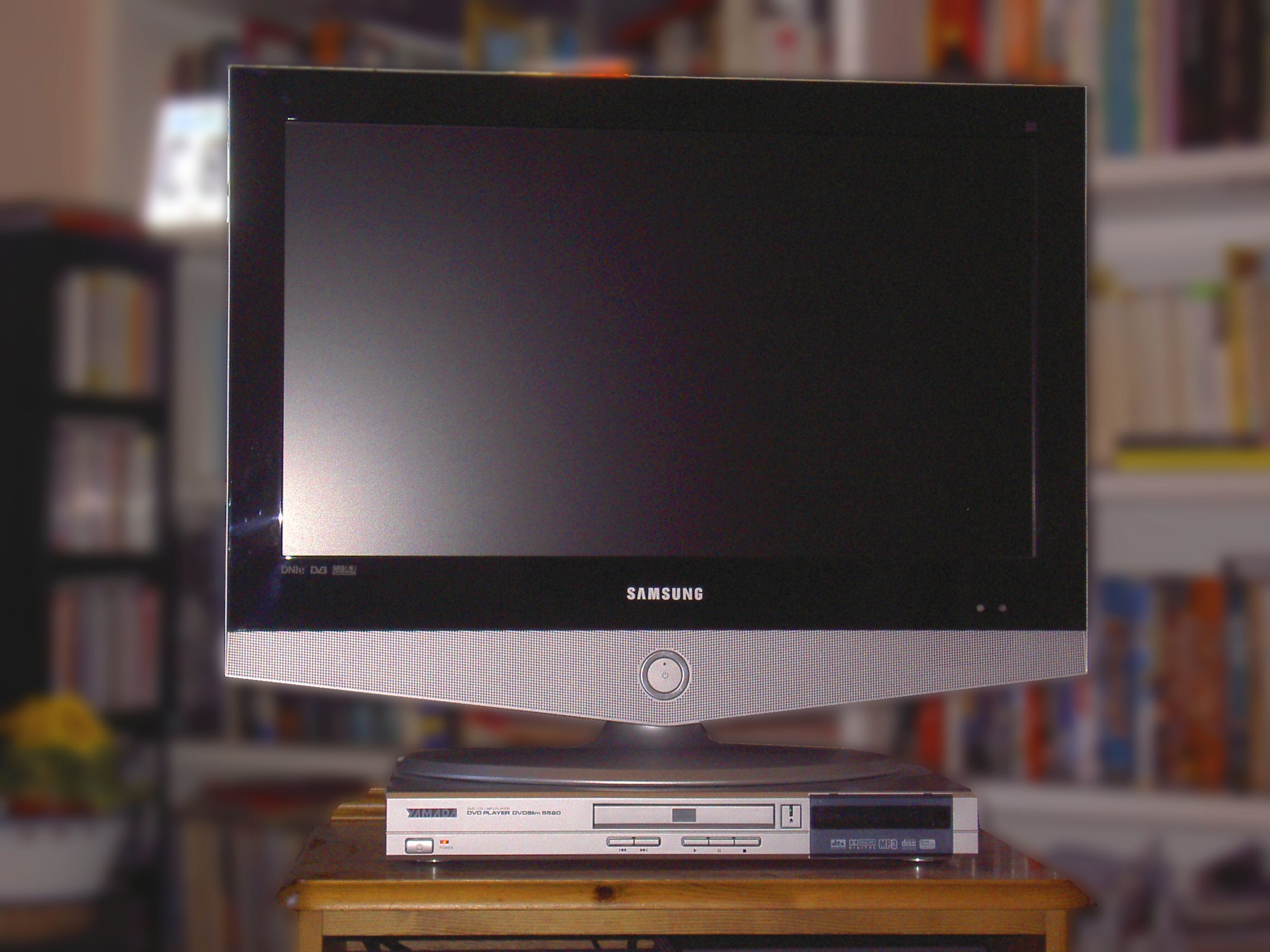
Contemporary early-2000s DVD player shown for era context, not a documented EVD unit
Era context only: a contemporary early-2000s DVD deck beside an LCD set. This is not a documented EVD unit. Genuine EVD examples include the Shinco EVD-8700 and related 2004-2008 alliance models with LSI Logic decoders. Photo: Ma8thew, Wikimedia Commons, CC BY-SA (via Openverse).

Documented genuine EVD models

Maker Model Year Price Evidence
Shinco 新科 EVD-8700 (also EVD8700) Jan 2004 ¥1,998 to ¥1,698 to ¥1,398 list / ¥998 promo First and for some time only EVD player on the market; EVD/DVD/SVCD/VCD/MP3/CD; CD-R/RW, JPEG; AC-3/DTS; component output
Shinco 新科 EVD8830 2004 (not retrieved) People’s Daily Online 2004 top ten innovative products
SVA 上广电 EVD388 2004 (not retrieved) Sohu 2004 most popular home appliances
Shinco 新科 EVD-327 c. 2007 ¥1,200 PjTime 2007 buyer’s guide of fifteen brands
Nine launch makers 11 models (numbers not found) Nov 2003 ~¥2,000 Amoi, BBK, Changhong, Malata, Nintaus, Shinco, SVA, Skyworth, Yuxing
Twenty relaunch makers 54 models (numbers not found) Dec 2006 ~¥700 Including Haier, Skyworth, TCL, Malata, Shinco, Amoi (counts vary by source)

E-World’s FAQ later listed brands available in stores as Shinco, SVA, Amoi, Malata, TCL, GIEC (杰科) and Kaigao (凯高), adding that Shinco had the largest output and was the easiest to buy, sold through Gome, Dazhong, Suning, Yongle and department-store counters, with one-year free repair and a repair card in every box. c114 records that in 2004 only Shinco and SVA actually put EVD on the market. Those are different dates; both are kept. The model number is written EVD-8700 (c114, Baidu) and EVD8700 (E-World FAQ); same player.

Chipsets

Vendor Evidence Assessment
LSI Logic (DoMiNo) First semiconductor supplier of HD EVD technology (EDN 2003); EE Times 2003 and 2006 say launch and shipping players used LSI; LSI 2004 boilerplate lists EVD; iSuppli 2006: only one chip company provides EVD chips Only confirmed EVD decoder source
LSI DoMiNo family DMN-8602, DMN-8603, DMN-8652, DMN-8653 documented in DVD-recorder SoCs; support MPEG-1/2/4, SD-to-HD upscaling, CSS/CPRM/CPPM/DES Which DoMiNo part sat in EVD players is not documented
Amlogic HVD chips; listed as EVD alliance technology provider in 2006 No evidence of an Amlogic EVD decoder
STMicroelectronics 2005 H.264 next-generation EVD letter of intent No product
Zoran, MediaTek, Sunplus, Sigma, Cheertek No evidence of EVD HD decoding Modern EVD-keyword players on these chips are DVD-only

LSI sold its consumer products business to Magnum Semiconductor in 2007, which may help explain why EVD chip supply ended around 2008. E-World marketing explained higher player prices by the need for an extremely powerful consumer chip, equivalent to a Pentium IV, because EVD computes five times the data of DVD. That is promotional language, not a measured FLOPS claim.

EVD-labelled DVD players on sale today

Current Chinese retail listings routinely put EVD in titles for ordinary DVD hardware. Examples from methodical retail searches include SAST PDVD-7026A, SA-299, SA-298 and SA-065; Amoi DVD-618; Qisheng QS-39; BBK home DVD units; Jinzheng home EVD players; Shinco EVD.SDP-1510 portable; and even GIEC BDP-G5300 / G5300PLUS 4K UHD Blu-ray players marketed with EVD keywords. None of these listings is evidence of EVD disc playback. They illustrate the naming trap: EVD became a marketing synonym for disc player rather than a format capability.

How to verify a genuine EVD player

  1. Date. Manufactured 2004-2008 (label, manual, warranty card). Post-2009 products labelled EVD are almost certainly DVD-only.
  2. Brand and model. Shinco EVD-8700, EVD8830, EVD-327 or SVA EVD388 are documented; other alliance brands (Amoi, Malata, TCL, GIEC, Kaigao, BBK, Changhong, Skyworth, Nintaus, Yuxing, Haier) produced EVD models whose numbers are not yet recorded.
  3. Decoder. Open the case and look for an LSI Logic media processor. Record the full part number; published identification of the EVD chip would close a research gap.
  4. Outputs. Component YPbPr HD output (and HDMI on later units). Composite/S-Video-only machines cannot deliver EVD HD.
  5. Manual. Should list EVD disc playback and HD output modes (1080i/720p) separately from DVD.
  6. Disc test. Play a commercial Jindian Global or Zhongkai EVD disc. An ordinary DVD player should refuse it.
  7. Menu. Genuine players often show an EVD logo at start-up or in the disc-type display.

Service and manuals

Every genuine EVD player shipped with a repair card and one year’s free repair through manufacturers’ regional service centres (E-World FAQ). No EVD player service manual, firmware image or schematic was found online in the research gathered for this series. Chinese repair forums and 家电维修 magazine archives remain the most promising next sources. Until a manual or board photo with a readable LSI part number surfaces, treat the DoMiNo family as the known silicon line and specific EVD SKUs as undocumented.

Collector field notes

Price history for the flagship Shinco EVD-8700 is unusually well documented: ¥1,998 at New Year 2004, ¥1,698 with the June 2004 Dazhong experience-hall push, then ¥1,398 list with promotions to ¥998 plus bundled HD discs. E-World called ¥998 the most stable post-launch price, a fall of about 55 percent. The December 2006 relaunch aimed at about ¥700, roughly DVD-player street pricing. HD-EVD announcements in 2008 floated about ¥1,000. Those numbers chart desperation as much as democratisation: each cut tried to solve soft demand without solving missing titles or missing HD televisions.

Retail availability claims also need dates attached. c114’s 2004-05 reporting (only Shinco and SVA selling) is not incompatible with E-World’s later FAQ list of seven brands in stores; the channel simply changed over time, and alliance membership never equalled shelf presence. Launch-day claims of eleven models from nine makers, and relaunch claims of about fifty-four players from about twenty makers, remain mostly unanchored by surviving model numbers. Photographing badges, rear-panel logos and main-board markings on any surviving unit is therefore historically useful, not only for personal collecting.

Finally, do not trust the word EVD on a modern carton. Keyword stuffing on JD, Suning and similar platforms has turned EVD into a synonym for “disc player” across DVD and even 4K UHD Blu-ray SKUs. The format test is always the commercial encrypted disc plus the LSI-era hardware window, never the product title string alone.

What a surviving unit can still teach

Because so few model numbers were published, any authenticated player is a primary source. Useful photographs include the front badge and model silk-screen, rear-panel connector set (especially component and any HDMI), the power-supply and main-board labels, and a clear shot of the media processor package. If the chip marks include an LSI or DoMiNo family string, publish the full part number; that would be the first widely circulated identification of the EVD decoder SKU. Pairing that with a successful play of a Jindian Global or Zhongkai title, and with the manual’s EVD/HD mode wording, is the gold-standard authentication path.

HD-EVD remains thinner in the record: 2008 announcements of 1080p output and ¥1,000 players exist, but without model lists or board photos the category should stay labelled announced rather than collected. Until those units surface with documentation, treat HD-EVD as a late marketing rename of the same red-laser programme rather than a second, well-attested hardware generation.


Sources


Further reading on historic video formats

If you want to learn more about historic video formats, get The History of Physical Video Formats from the Frontier by Stephen Driver on Amazon: